Home Appliance Automation
Best Smart AI Vacuum Cleaner 2026 | Reviews, Comparison & Tips

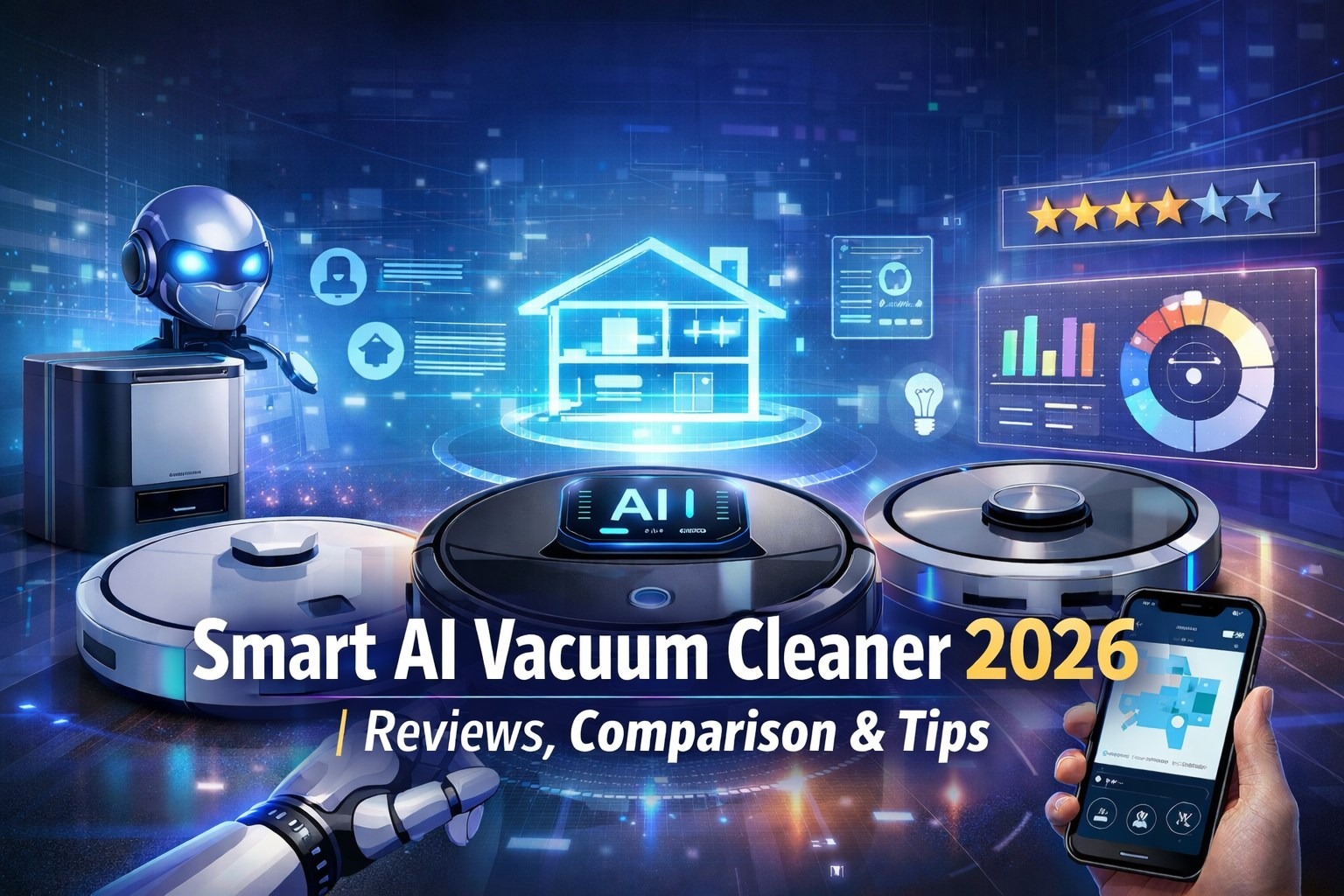
By combining artificial intelligence, smart navigation, and automated maintenance, the smart AI vacuum cleaner in 2026 will mark a significant advancement in home cleaning technology.
These AI vacuum cleaner gadgets are capable of intelligent home mapping, obstacle detection, floor-specific suction and mopping adjustments, and effective operation via voice assistants or apps. Self-emptying, mop washing, drying, and water refilling are now handled by sophisticated models, significantly reducing the need for human labor.
This article reviews and compares leading Smart AI vacuum cleaner, highlighting their features, strengths, and ideal use cases. From premium, fully automated robots designed for large homes and pet owners to budget-friendly options offering smart mapping.
Overall, Smart AI vacuum cleaner have become a practical, time-saving solution for modern households seeking cleaner homes with minimal effort.
What is a Smart AI Vacuum Cleaner?
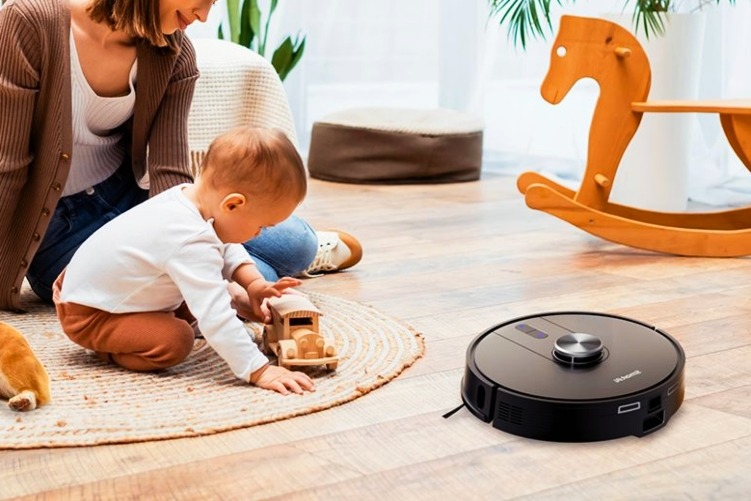
With virtually no effort on your part, a Smart AI Vacuum Cleaner is like having a little assistant that keeps your house clean. In contrast to standard vacuums, it navigates your home using smart sensors and artificial intelligence, avoiding stairs, furniture, and pets. It can map your house to determine the best cleaning routes, and it automatically modifies its mop or suction settings based on whether the floor is tile, hardwood, or carpet.
Many models of smart AI vacuum cleaner even take care of themselves by automatically replenishing water, cleaning and drying mop pads, and emptying their trash can. You can set cleaning schedules, designate no-go zones for areas you don’t want to be in, and easily control the AI vacuum cleaner with a smartphone app or voice commands using Alexa or Google Assistant.
Best Smart AI Vacuum Cleaner
Ecovacs Deebot X8 Pro Omni
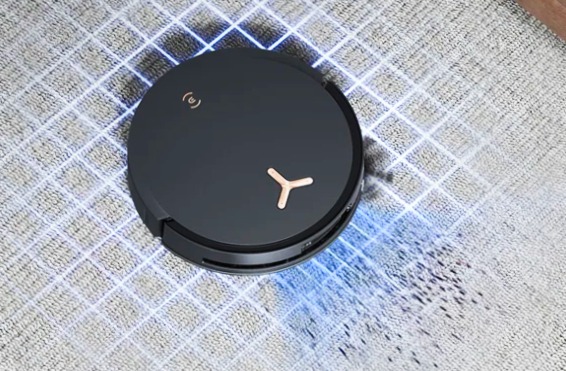
The Ecovacs Deebot X8 Pro Omni AI vacuum cleaner thoroughly cleans, with strong suction power and efficient LiDAR navigation.
AI vacuum cleaner also doubles as a mop with a roller that recharges and spruces itself up on the go to prevent cross-contamination. After every cleaning session, the base station empties the robot’s dustbin and proceeds to wash and dry its mop using hot water and hot air. In short, it does everything you’d expect from a high-end hybrid, and while not affordable, AI vacuum cleaner doesn’t cost as much as some other premium options at this level.
The Deebot X8 Pro Omni is a top-tier 2-in-1 robot AI vacuum cleaner and mop that effortlessly cleans your floors while keeping itself clean. Because it’s so adept at finding its way out and cleaning as it goes, it’ll work its magic over every single surface in your home and not spread dirt from one room to the next.
With the ability to store multiple maps and long battery life, the X8 is well-suited for large, multistory homes.
Specification
- Suction Power: Up to 18,000 Pa
- Navigation: dToF LiDAR + AIVI 3D AI obstacle detection
- Vacuum & Mop: OZMO Roller self-washing mop with TruEdge corner cleaning
- Auto Features: Self-emptying dustbin, auto mop washing, hot-air drying, auto water refill
- Brush System: ZeroTangle 2.0 anti-hair wrap
- Battery: 6400 mAh Li-ion
- Runtime: Up to 290 minutes (eco mode)
- Carpet Detection: Auto mop lifting (up to 10 mm)
- Voice Control: Alexa, Google Assistant, YIKO
- App Control: iOS & Android
- Best For: Large homes, pets, deep cleaning & fully automated cleaning
Pros
- Vacuums and mops effectively
- Roller mop limits cross-contamination
- Side brush and mop extend into corners
- Dispenses detergent automatically
- Lifts itself over hurdles
- The battery lasts longer than two hours
Cons
- Expensive
- Occasionally gets lost
- Auto-generated maps may require manual edits
iRobot Roomba j9+
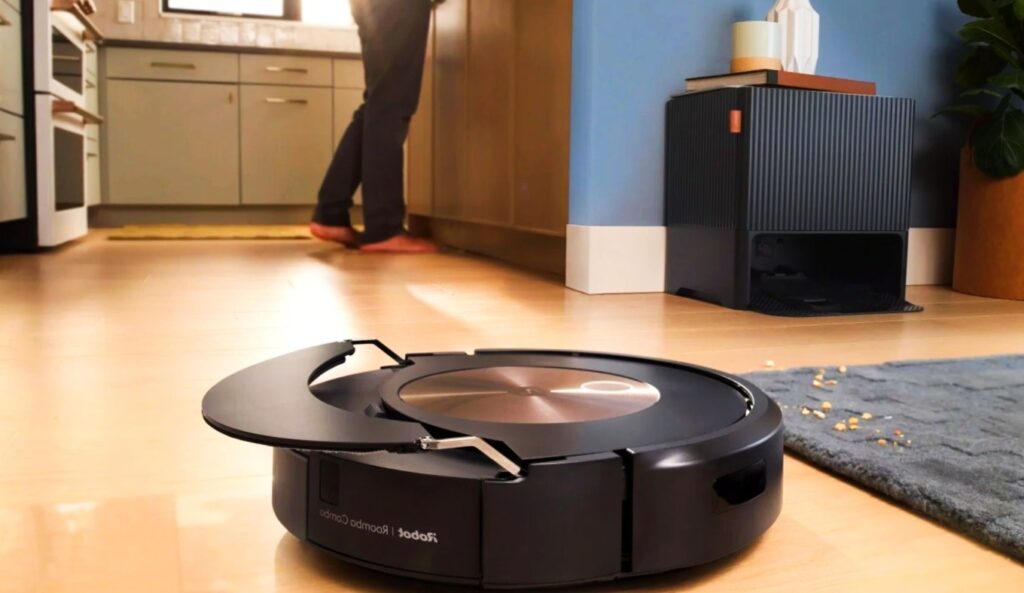
The Roomba j9+ employs an AI vacuum cleaner and machine learning to identify and avoid obstacles as it operates. It also figures out which rooms in your house are dirtier, giving them priority on subsequent runs. Once it learns its way around, however, it will glide through your home with ease and efficiency, winding around chair legs and snuggling into corners.
The Roomba j9+ series of AI vacuum cleaner also provides best-in-class obstacle avoidance, enabling it to avoid common household items such as slippers, pet toys, and pet waste better than top competitors. If it detects an obstacle, the AI vacuum cleaner will take a snapshot for you to review in the app so that you can make easy Keep Out Zones on your next clean. Toss in high cleaning power and long battery life, and robot vacuum shoppers have an upscale option to consider in the Roomba j9+.
If you don’t want to bother picking up your socks and cords before hitting the button on your robot AI vacuum cleaner, the Roomba j9+, like every other we’ve tested for years, saves you that hassle. It will just wind around what’s there.
Specification
- Type: Robot AI Vacuum Cleaner(No mopping)
- Navigation: PrecisionVision AI with smart mapping & obstacle avoidance
- Cleaning System: 3-stage cleaning with dual rubber brushes
- Suction Power: Up to 100% stronger than i Series
- Self-Emptying: Clean Base holds dirt for up to 60 days
- Battery Life: Up to 2+ hours (varies by floor type)
- Carpet Boost: Automatically increases suction on carpets
- Pet Friendly: Avoids pet waste, cords & objects
- App Control: iRobot Home App (iOS & Android)
- Voice Control: Alexa, Google Assistant, Siri
- Best For: Powerful hands-free vacuuming, pet hair & carpets
Pros
- Expertly avoids obstacles big and small
- More suction power and battery life than the predecessor
- Learns your home for automated cleaning customization
- Feature-rich app
Cons
- Expensive
TP-Link Tapo RV30 Max Plus
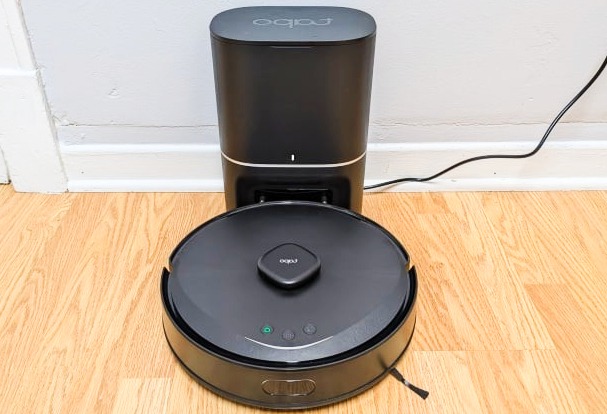
The TP-Link Tapo RV30 Max Plus robot AI vacuum cleaner and mop includes critical features, such as LiDAR navigation and a self-emptying dustbin, at an unusually low price. These functions are a real matter of convenience and efficiency, and the RV30 Max Plus has the goods to back up its features with effective cleaning.
The AI vacuum cleaner is especially good at picking up big crumbs and pet hair. You can operate it through an app or voice commands with both Alexa and Google Assistant, not to mention its mop attachment does a fine job at scrubbing the floors. It’s the RV30 that delivers the best bang-for-your-buck out of any robot AI vacuum cleaner on this list. It moves in neat rows, vacuums sufficiently, and can even empty its own dustbin. It costs like a low-end device with the features found in a mid-range device.
The AI vacuum cleaner is a more effective AI vacuum cleaner than you might think for the price. The RV30 is best for homes with plenty of carpet. On the other hand, it mops like a low-cost model. It’s not bad as a quick wet wipe, but it lacks the elbow grease of more premium mops.
Specification
- Type: Robot AI Vacuum Cleaner & Mop with auto-empty dock
- Navigation: LiDAR + IMU smart mapping
- Suction Power: 5300 Pa
- Auto-Empty Dock: 3L dust bag (up to 2 months hands-free)
- Battery: ~2600 mAh with recharge & resume
- Water Tank: ~300 ml (mopping)
- Dustbin: ~300 ml with HEPA filter
- Carpet Detection: Avoids carpets during mopping
- Threshold Climbing: Up to ~22 mm
- App Control: Tapo app (room mapping, zones, schedules)
- Voice Control: Alexa & Google Assistant
- Best For: Affordable smart vacuum with mapping, mopping & self-emptying
Pros
- Vacuums and mops effectively
- Systematic and thorough navigation
- Empties its own dustbin
- Supports virtual walls, scheduling, and voice control
- Excellent large-particle pickup performance
Cons
- Struggles with stubborn debris
- Unintuitive Alexa controls
Dreame X30 Ultra
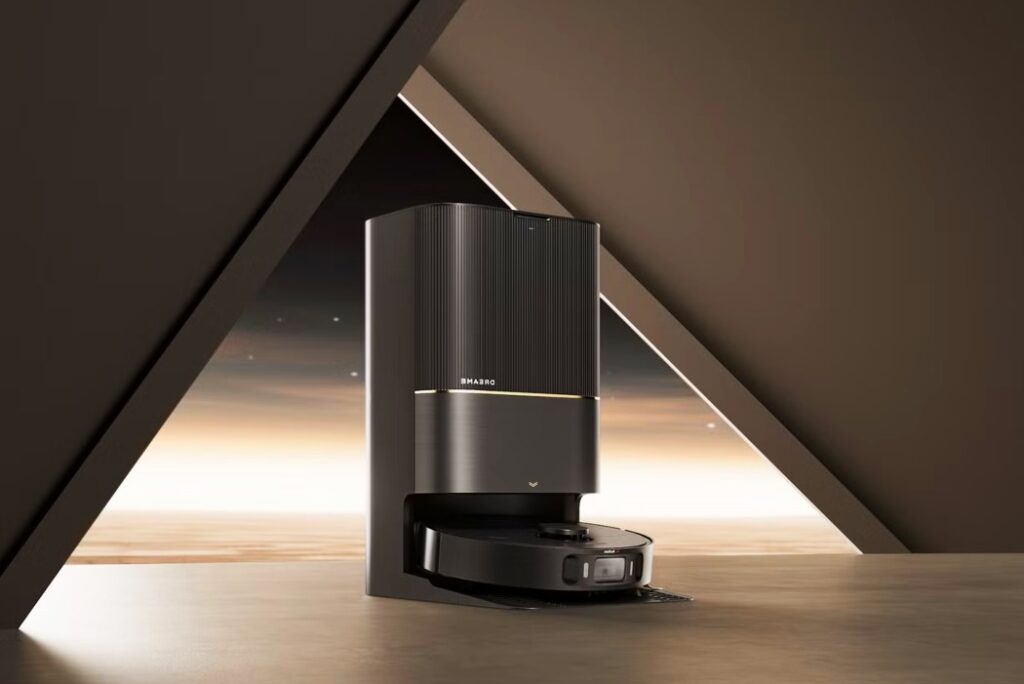
The Dreame X30 Ultra is a powerful, premium robot AI vacuum cleaner and mop designed for people who want maximum cleaning with almost zero effort. It’s built to take care of itself, so you don’t have to.
When the robot returns to its base, it automatically empties its dustbin, washes and dries its mop pads, and even Ai vacuum cleaner cleans its own washing tray, removing one more maintenance task from your routine. What makes it truly stand out is its smart mop management.
AI vacuum cleaner X30 Ultra can remove its mop pads on its own when it detects thick carpets, or whenever you tell it to, then reattach them automatically when mopping is needed again.
During cleaning, the AI vacuum cleaner delivers a strong 8,300Pa suction for deep vacuuming and extends its mop pads to clean under cabinets, furniture, and along edges more effectively. After every mopping session, the base station refills the robot’s water tank with fresh water and adds detergent automatically, ensuring it’s always ready for the next clean.
Overall, the AI vacuum cleaner Dreame X30 Ultra offers one of the longest maintenance-free cleaning experiences available today. It handles vacuuming, mopping, washing, drying, and refilling all by itself, making AI vacuum cleaner an excellent choice for busy homes that want hands-free, high-end cleaning.
Specifications
- Type: Robot Vacuum + Mop
- Suction Power: 8,300 Pa
- Navigation: Smart mapping with sensors
- Carpet Detection: Lifts mop pads automatically on carpets
- Auto-Empty: Dustbin empties itself at the base
- Self-Cleaning: Robot washes & dries mop pads; base cleans its basin
- Auto Water & Detergent: Base refills water and adds detergent automatically
- Mop Reach: Extends to clean under furniture and cabinets
- App & Voice Control: Works with Tapo app, Alexa, Google Assistant
- Best For: Deep cleaning with minimal maintenance
Pros
- Removes, installs, washes, and dries its mop pads
- Cleans its washboard
- Automatically dispenses cleaning detergent
- Stellar large particle pickup
- Maps and cleans efficiently
Cons
- Falls short of the competition in deep cleaning
Ecovacs Deebot Ozmo N8 Pro+
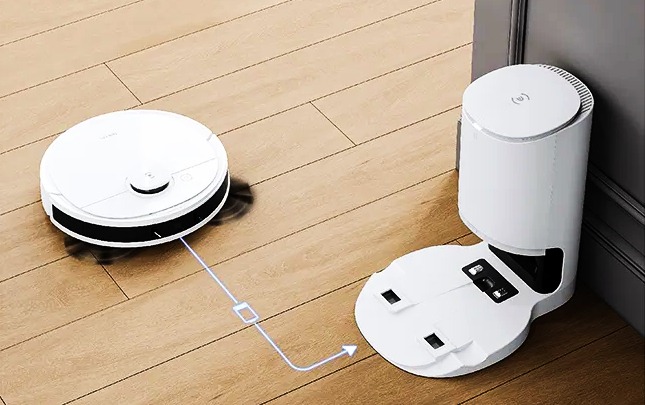
The Ecovacs Deebot Ozmo N8 Pro+ is an intelligent robot AI vacuum cleaner that mops and empties its own dustbin for more straightforward cleaning. It also stays relatively quiet and efficient, gliding around your floors in neat alternating rows to cover the space efficiently.
At 2,600Pa of suction AI vacuum cleaner is not quite as powerful as the newest high-end models and lacks some of their more advanced self-maintenance features, such as automatic mop washing or drying.
The Deebot Ozmo N8 Pro+ is an AI vacuum cleaner few years old at this point, but it’s aging very well. Because its price has dropped, it’s now a good value for anyone in search of an effective hybrid AI vacuum cleaner and mop that doesn’t break the bank.
Specifications
- Type: Robot Ai Vacuum Cleaner + Mop (2-in-1)
- Suction Power: 2,600 Pa
- Carpet Boost: Increases suction automatically on carpets
- Navigation: Smart mapping with neat, efficient cleaning paths
- Self-Empty: Dustbin empties automatically into the base
- Auto Mop Washing/Drying: Not available
- App Control: Yes, with schedules, zones, and cleaning modes
- Voice Control: Works with Alexa & Google Assistant
- Best For: Everyday cleaning at home, convenient 2-in-1 vacuum & mop
Pros
- AI Vacuum Cleaner and mops
- Includes a self-emptying dustbin
- Strong suction power
- Automatically detects carpet
- Supports virtual boundaries, schedules, and zone cleaning
- Works with Amazon Alexa and Google Assistant
Cons
- Expensive
- Minor mapping issues in testing
- Average battery life
Roborock Qrevo Curv
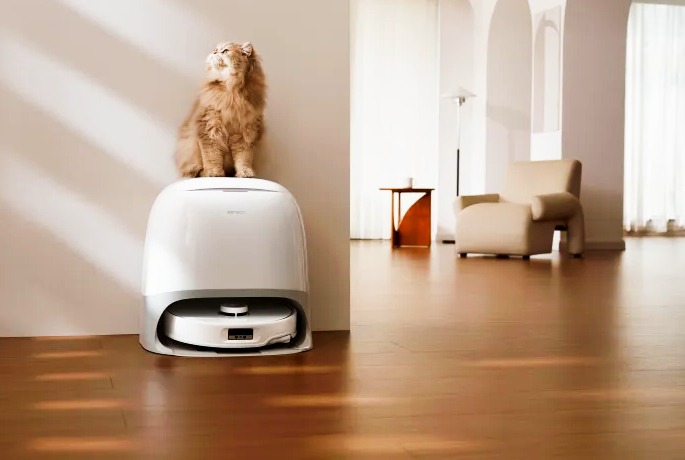
The Roborock Qrevo Curv can AI vacuum cleaner and mop, empty its own dustbin, and wash and dry its own mop pads. Most peculiarly of all, the Qrevo Curv also features a relatively distinctive set of wheels that are capable of physically lifting the robot over obstacles as high as 1.6 inches in height. Not designed for stair use, the lifting body enables the Qrevo Curv to easily move between two stories.
The wheels even allow the robot to hoist itself over cords and other obstacles so that it doesn’t get stuck. In addition to the AI vacuum cleaner, the Qrevo Curv has an extending mop arm and side brush. The two combined are better at cleaning edges and getting into corners than any other robot vacuum we’ve tested.
The Qrevo Curv can roll up itself onto its wheels to traverse high thresholds or floors with multiple levels. An AI vacuum cleaner is also good at hoisting itself over cords and obstacles to keep from getting stuck.
The curved sound bar and optional white finish differentiate the Curv from a sea of similar, boxy black models. If the AI vacuum cleaner is something you like, grab this one; the cleaning power won’t let you down.
Specification
- Type: Robot AI Vacuum Cleaner + Mop (2-in-1)
- Suction Power: 18,500 Pa
- Navigation: Smart mapping with AI obstacle detection
- Mop System: Dual spinning mops, auto-lifts on carpets
- Self-Maintenance: Auto-empty dustbin, mop washing & drying, auto water refill
- Battery Life: ~240 min runtime
- Dustbin: 325 ml (robot) + larger dock bag
- App & Voice Control: Roborock app, Alexa & Google Assistant
- Best For: Hands-free deep cleaning and mopping
Pros
- Excellent cleaning performance
- Side brush and mop pads extend into corners
- Lifts itself over hurdles
- Detachable mop pads
- Built-in voice assistant and security camera functionality
Cons
- Ran over obstacles in testing
- Lacks a detergent dispenser
- May drag mops over the carpet
Ecovacs Deebot X9 Pro Omni
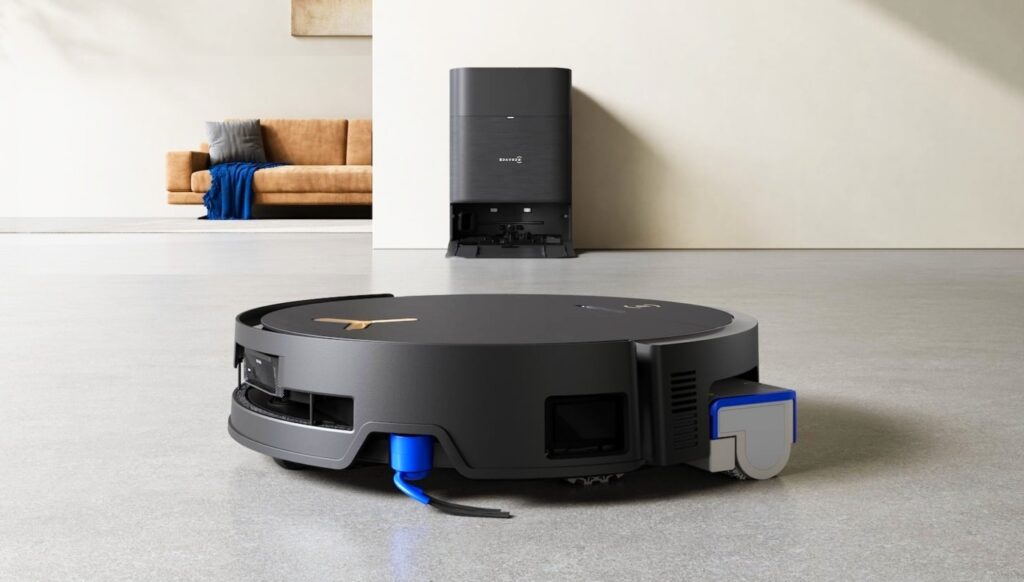
The Ecovacs Deebot X9 Pro Omni introduces Blast vacuuming to the company’s winning formula for high-end hybrids. Blast: stands for boosted large-airflow suction technology, which is a tuned motor and design feature to help in maximizing airflow. The AI vacuum cleaner model performed very well on our particle pickup tests, with a particularly good score on the suction stress test.
The X9 is also a good AI vacuum cleaner for all types of flooring environments, due to its Blast tech. It also cleans with completion, by employing a roller mop that refreshes itself as it goes. The robot’s mop gets washed and dried by the base station, which also empties its dustbin.
If you’re ready to drop the big bucks on a bot designed specifically for AI vacuum cleaner cleaning stubborn particles of debris like sand and pet hair from your carpets, then the Ecovacs Deebot X9 Pro Omni is your model. That airflow-optimized performance made it a rock star in our suction power stress test.
The AI vacuum cleaner X9 is a solid combination vacuum and mop, making it a wise option for those who desire deep cleaning on multiple surfaces.
Specifcation
- Type: Robot Vacuum + Mop (2‑in‑1)
- Suction Power: ~16,600 Pa strong airflow suction
- Navigation: Smart LiDAR + 3D sensors for mapping and obstacle avoidance
- Mopping System: OZMO Roller self‑washing mop with high scrubbing pressure
- Self‑Maintenance: Auto‑empty dustbin, automatic mop washing & hot‑air drying
- Carpet Handling: Lifts mop on carpets & adjusts cleaning automatically
- Battery: 6400 mAh long‑run battery (~250 min)
- Dust & Water Tanks:
• Robot dustbin: ~220 ml
• Base station dust bag: ~3 L
• Base clean water: ~4 L / dirty water: ~2.2 L - Better Reach: Can overcome small thresholds (~20 mm)
- App & Voice: Works with app controls and smart assistants
- Best For: Hands‑free vacuuming and deep mopping in large homes
Pros
- Exceptional vacuum performance
- Washes mop as it cleans
- Skillfully avoids obstacles
- Dispenses mopping detergent automatically
- Side brush and mop extend into corners
Cons
- Sluggish controls
- Occasionally got stuck in testing
- Expensive
SwitchBot Mini Robot Vacuum K10+
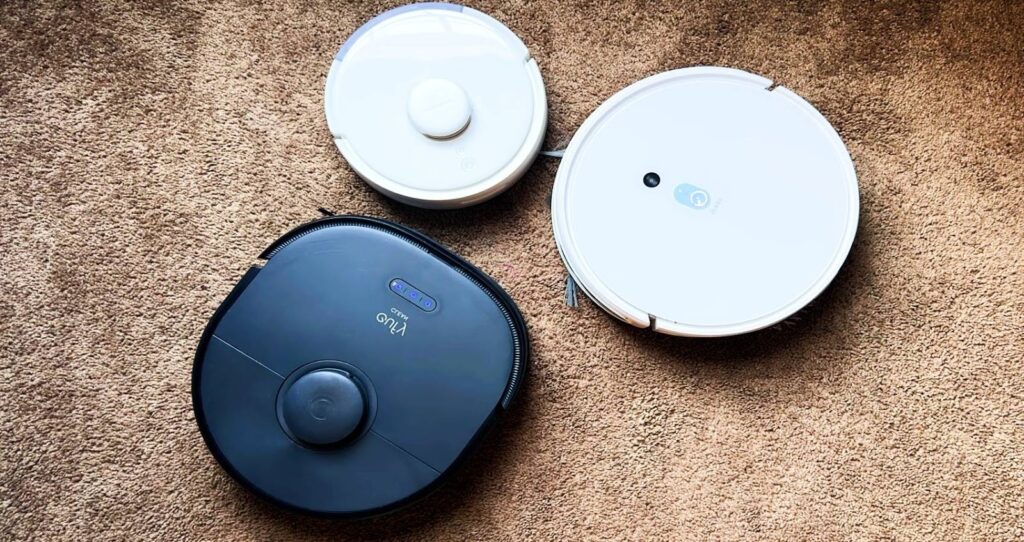
An AI vacuum cleaner at a reasonable price, the SwitchBot Mini K10+ packs useful features like self-emptying capability and smart navigation into a small body. Its small size enables it to neatly clean corners and fit into confined spaces. Additionally, it uses more power than you would anticipate for a robot this tiny to clean dust and dirt.
With the smallest diameter of any model on this list, the AI vacuum cleaner SwitchBot Mini K10+ can fit between chair legs, behind furniture, and through small spaces. If you have a small floor plan that needs to be tidied, it’s worth considering because it cleans well.
Specification
- Type: Robot Vacuum (auto empty)
- Suction Power: Strong everyday cleaning suction
- Navigation: Smart mapping and room detection
- Self‑Empty: Auto‑empty dustbin into base bin
- Battery: Long runtime for daily cleaning
- App Control: SwitchBot app with schedules & zones
- Voice Control: Works with Alexa & Google Assistant
- Best For: Everyday hands‑free vacuum cleaning in small to medium homes
Pros
- Excellent particle pickup
- Compact design
- Systematic, thorough navigation
- Self-emptying dustbin
- Lots of features for the price
Cons
- Poor mopping performance
- Occasionally gets stuck
- The brush roll gets tangled
TP-Link Tapo RV20 Max
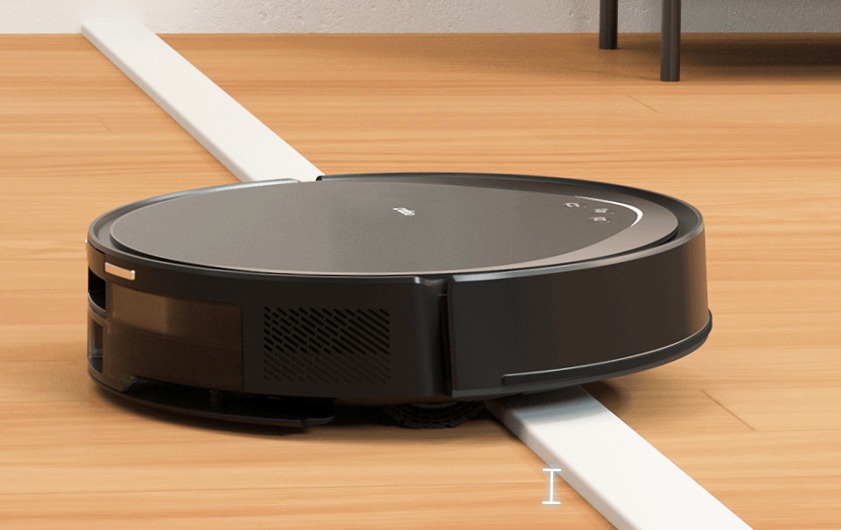
LiDAR is integrated into the front of the Tapo RV20 to facilitate navigation. Compared to all the other AI vacuum cleaner on this list, it is easier to fit under furniture because it does not have a tower for the sensor on top.
In our cleaning tests, the RV20 performed remarkably well at collecting big debris particles, considering its low cost. Virtual walls, scheduling, app control, and voice control via Google Assistant and Alexa are all supported.
The Tapo RV20 is a good option if you need a model that can do the limbo to gather dust bunnies under the bed or couch because of its small size, which enables it to fit in areas that most robot AI vacuum cleaner cannot.
Specification
- Type: Robot Vacuum + Mop (2‑in‑1)
- Navigation: Smart LiDAR mapping
- Suction Power: Strong everyday cleaning suction
- Auto‑Empty Dock: Yes (hands‑free dustbin emptying)
- Mopping: Yes, with a water tank
- Carpet Detection: Raise the mop on carpets
- App Control: Tapo app (schedules, zones, cleaning modes)
- Voice Control: Works with Alexa & Google Assistant
- Best For: Daily vacuuming and mopping with minimal effort
Pros
- Thorough large particle pickup
- Good mopping performance
- Efficient navigation
- Short stature to fit under furniture
- Supports scheduling, virtual walls, and voice control
Cons
- Struggles with stubborn debris
- No self-emptying base station
- Occasionally gets stuck
iRobot Roomba 205 DustCompactor Combo Robot
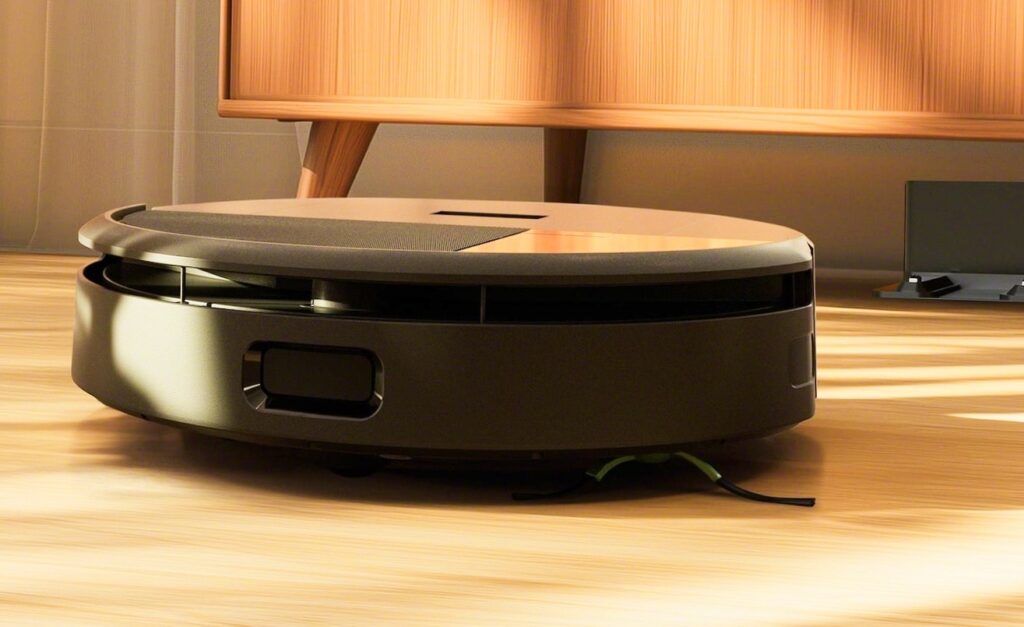
An AI vacuum cleaner has a straightforward plastic fin that compresses everything it gathers to one side to make room for more. The Roomba 205’s bin can hold dirt for up to 60 days at a time.
This easy trick eliminates the need for a big, ugly docking station and allows it to functionally match most models with a self-emptying base in terms of how frequently you need to worry about emptying the dirt. The Roomba 205 is a competent vacuum with effective navigation aside from this feature.
The Roomba 205 is a good option for people who wish to avoid buying replacements because its self-compacting dustbin doesn’t work with dust bags, so you’ll never run out or need to buy more.
Specification
- Type: Robot Vacuum + Mop (2‑in‑1)
- DustCompactor: Holds debris for up to 60 days
- Suction Power: 7,000 Pa
- Navigation: Smart LiDAR mapping for neat cleaning paths
- Carpet Detection: Avoids mopping on carpets
- Cleaning Modes: Vacuum only, Mop only, or Combo
- Battery: ~3 hours runtime
- Dustbin Capacity: ~1,820 ml (compressed dirt)
- Water Tank: ~180 ml for mopping
- App & Voice Control: Works with app and Alexa/Google Assistant
- Dimensions & Weight: 35.9 × 35.8 × 10.1 cm; 3.9 kg
- Best For: Hands-free vacuuming and mopping with minimal maintenance
Pros
- DustCompactor minimises the need to empty the dustbin
- Small base station
- Capable particle pickup
- Navigates efficiently
Cons
- Short battery life
- Got stuck in testing
- Poor mopping performance
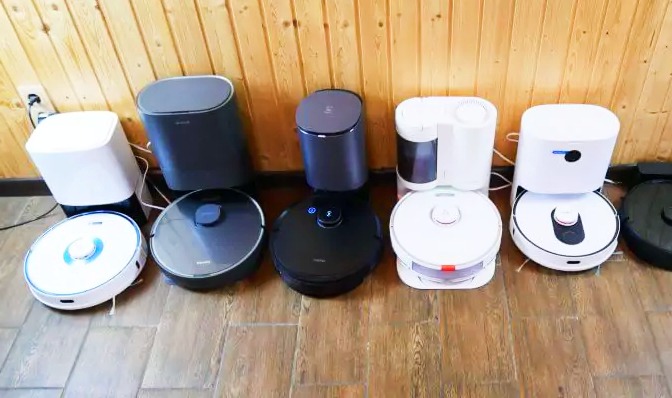
Comparison of Ai Vacuum Cleaner
| Robot | Type | Suction | Mop | Auto Features | Battery | App & Voice | Best For |
| Ecovacs Deebot X8 Pro Omni | Vacuum + Mop | 18,000 Pa | OZMO Roller | Self-empty, auto mop wash/dry, hot-air, auto water | 6400 mAh / 290 min | Alexa, Google, YIKO | Large homes, pets, deep cleaning |
| iRobot Roomba j9+ | Vacuum | 7,000 Pa+ | No | Clean Base 60 days, carpet boost | 2+ hrs | Alexa, Google, Siri | Pets, carpets, hands-free vacuuming |
| TP-Link Tapo RV30 Max Plus | Vacuum + Mop | 5,300 Pa | Yes | Auto-empty dock | 2,600 mAh | Alexa, Google | Affordable 2-in-1, carpets & floors |
| Dreame X30 Ultra | Vacuum + Mop | 8,300 Pa | Extending pads | Self-empty, auto mop wash/dry, base cleans basin, auto water & detergent | Long runtime | App, Alexa, Google | Deep cleaning, low maintenance |
| Ecovacs Deebot Ozmo N8 Pro+ | Vacuum + Mop | 2,600 Pa | Yes | Self-empty | Standard runtime | App, Alexa, Google | Everyday home cleaning, budget-friendly |
| Roborock Qrevo Curv | Vacuum + Mop | 18,500 Pa | Dual spinning | Self-empty, mop wash/dry, auto water refill | ~240 min | App, Alexa, Google | Deep cleaning handles obstacles |
| Ecovacs Deebot X9 Pro Omni | Vacuum + Mop | 16,600 Pa | OZMO Roller | Self-empty, auto mop wash/dry, hot-air, auto water & detergent | 6400 mAh / 250 min | App, Alexa, Google | Large homes, pets, deep cleaning |
| SwitchBot Mini K10+ | Vacuum | Moderate | No | Self-empty | Long runtime | Alexa, Google | Small-medium homes, compact spaces |
| TP-Link Tapo RV20 Max | Vacuum + Mop | Moderate | Yes | Auto-empty dock | Standard runtime | Alexa, Google | Daily cleaning, fits under furniture |
| iRobot Roomba 205 DustCompactor | Vacuum + Mop | 7,000 Pa | Yes | DustCompactor 60 days | ~3 hrs | App, Alexa, Google | Hands-free cleaning, minimal maintenance |
Why You Can Trust Vacuum Wars Robot Vacuum Reviews
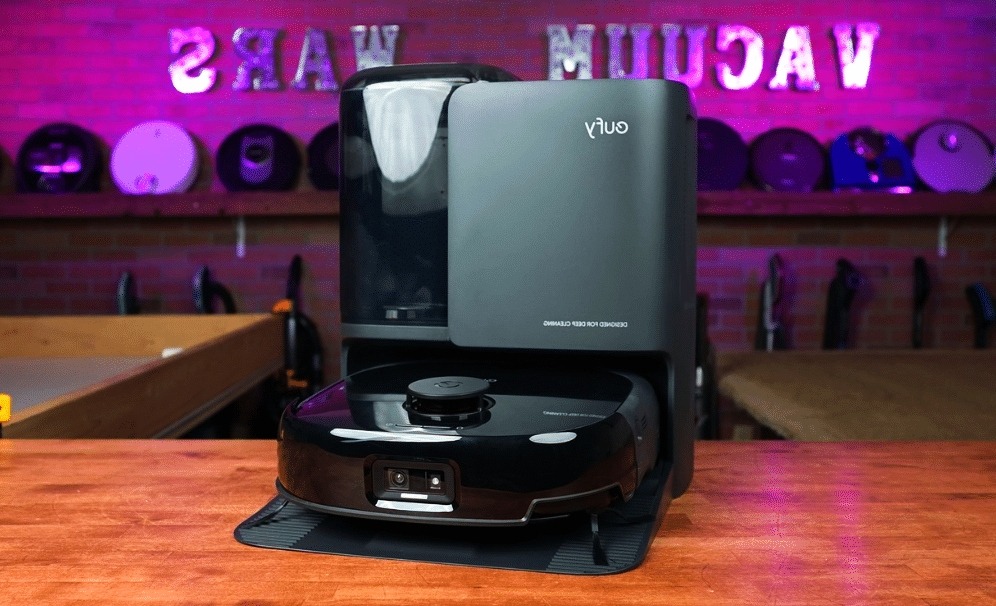
- Independent & Reader-Funded
Every robot AI vacuum cleaner is purchased by Vacuum Wars at full retail price; free samples, loaner units, and paid features are not accepted. Brands do not influence what we test, how we test, or what we write because they only see our findings after they are published.
Reporting that benefits consumers rather than manufacturers is the outcome.
- One Test Suite for Every Robot
AI vacuum cleaner of Airflow measurements, carpet deep-clean pickup, hard-floor crevice extraction, hair-tangle checks, navigation timing, and (if equipped) mopping and obstacle-avoidance trials are all part of the same checklist that is applied to every model.
The score you see represents actual performance rather than fluctuating benchmarks since the protocol never changes.
- Transparent Methods
Are you interested in the specifics? The How We Test Robot AI vacuum cleaner guide contains our entire product. Processes, including tools, surfaces, debris mixes, timing windows, and scoring weights. Any ranking can be traced back to the original measurement.
- Data Kept Current
Firmware updates and robot AI vacuum cleaner prices fluctuate quickly. We regularly update the Top 20 list by keeping track of significant software changes, hardware adjustments, and fluctuations in street prices. To let you know when the information was confirmed, each entry clearly displays the “last updated” date.
- Clear Revenue Policy
Affiliate links are used to fund AI vacuum cleaner Wars. We don’t take payments, freebies, or brand sponsorships. This means that only our independent testing and data are used to determine our reviews and rankings.
Buying Guide: The Best Robot Vacuums for 2026
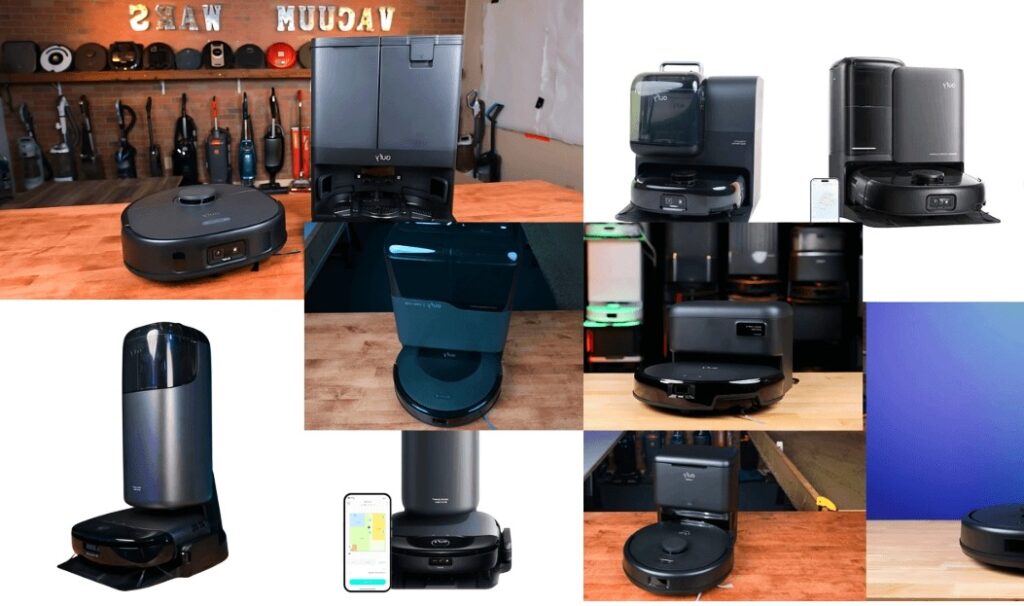
Though not always, the cost of a robot AI vacuum cleaner is typically higher than that of a conventional vacuum. These models range in price from under $300 to over $1,700. Even on the lower end, that is a fairly substantial investment. Let’s think about what you get for the money.
An AI vacuum cleaner is a fairly boring task unless you truly enjoy it. By handling a rather unappreciated task, a robot vacuum can save you anywhere from minutes to hours each week, depending on the size of your home. For some, that is sufficient justification to think about one.
Furthermore, robot AI vacuum cleaner are now nearly as strong and efficient as conventional vacuums. They won’t take up much room because they are also quite small. Additionally, they are small enough to fit under the majority of tables and couches, saving you from having to move the furniture.
The cost of a Wi-Fi-enabled robot AI vacuum cleaner has significantly decreased. What advantages does connectivity offer? With Google Assistant and Amazon Alexa integrations, you can program and operate the majority of smart robot vacuums using your voice or your phone.
Real-Life Impact of Smart AI Vacuum Cleaners
Smart AI vacuum cleaners can make a big difference to busy families who do not have time to clean every day. For instance, parents with kids or people who work long hours can set up the vacuum to vacuum while they are away, so they will come home to a clean home and not have to work any extra.
These vacuum cleaners are also very helpful for pet owners since they can eliminate the pet hair, dust, and dirt from the carpets and floors on a daily basis. Models with good suction and detection capability will avoid getting stuck around pet bowls, toys, and furniture while cleaning so well.
For elderly people or those with physical forms of pain, smart art vacuum cleaners lessen the need to bend, lift, and move heavy furniture to clean. Features such as self-emptying dustbins, mop washing, and voice control have made it easier to clean on a daily basis to save time and energy.
FAQ’s
What is the best AI vacuum cleaner?
It’s a high-end 2-in-1 robot AI vacuum cleaner and mop that combines powerful suction (~16,600 Pa) with advanced AI navigation using LiDAR and 3D sensors. It also handles self-maintenance, including auto-emptying its dustbin, washing and drying its mop, and refilling water and detergent, making it almost completely hands-free.
With carpet detection, long battery life (~250 min), and the ability to manage multiple floor types, it’s perfect for large homes, deep cleaning, and homes with pets.
- Ecovacs Deebot X8 Pro Omni – Strong suction, smart navigation, and self-cleaning mop, great for large homes.
- Roborock Qrevo Curv – Excellent suction (~18,500 Pa) and obstacle handling, ideal for deep cleaning.
- Dreame X30 Ultra – High suction and fully automated maintenance, good for hands-free deep cleaning.
- iRobot Roomba j9+ – Best for pet hair and obstacle avoidance, vacuum-only with a long-lasting base.
- TP-Link Tapo RV30 Max Plus – Affordable AI vacuum + mop with self-emptying dock for smaller homes.
In short, If you want the most automated, powerful, and versatile AI vacuum cleaner, the Ecovacs Deebot X9 Pro Omni is the top pick from your list.
Which is the best smart vacuum cleaner?
The Ecovacs Deebot X9 Pro Omni is the greatest smart AI vacuum cleaner, especially for consumers who desire thorough cleaning with minimal manual labor. It provides extremely powerful suction, employs sophisticated AI and LiDAR navigation to precisely avoid obstacles, and efficiently and systematically cleans floors.
It automatically modifies its cleaning for improved results, whether you have hard floors, carpets, or pet hair. Its fully automated base station is what really makes it unique.
The AI vacuum cleaner eliminates daily maintenance by emptying its own trash can, cleaning the mop, and drying it with hot air. Additionally, the self-cleaning roller mop prevents dirt from moving from one room to another.
What is the best robot vacuum 2026?
The best AI vacuum cleaner in 2026 will really depend on your needs, but high-end AI models are generally at the forefront. Certain models, such as the Dreame X30 Ultra, Roborock Qrevo Curv, and Ecovacs Deebot X9 Pro Omni, are unique in that they take care of themselves in addition to cleaning your floors.
Strong suction, intelligent AI navigation, and completely automated functions like self-emptying, mop washing, and drying are all provided by these robots.
These high-end models are the greatest options in 2026 if you want hands-free, thorough cleaning with nearly no daily effort. They are perfect for large homes and busy households because they efficiently clean carpets and hard floors, avoid obstacles, and map your home accurately.
What is the name of the famous AI-powered vacuum cleaner?
The iRobot Roomba AI vacuum cleaner, particularly models like the Roomba j-series, is one of the most well-known AI-powered vacuum cleaners.
Roomba gained popularity all over the world for effectively cleaning homes using AI, smart mapping, and obstacle avoidance.
Ecovacs Deebot, Roborock, and Dreame are other well-known AI vacuum brands that are now well-known for cutting-edge features like fully automated mopping, self-cleaning docks, and AI navigation.
Conclusion
In 2026, smart AI vacuum cleaner will significantly alter how we clean our homes. These robots can now think, map, avoid obstacles, and even take care of their own maintenance, making them more than just simple cleaners.
Today’s smart AI vacuum cleaner are made to save time, effort, and energy from strong suction and intelligent AI navigation to self-emptying dustbins and automated mop washing.
There is now an AI vacuum cleaner to suit every need and budget, whether you live in a big multi-story house or a tiny apartment.
Models like the Ecovacs Deebot X9 Pro Omni, Ecovacs Deebot X8 Pro Omni, and Roborock Qrevo Curv stand out for their deep cleaning power and hands-free operation if you want the most sophisticated, fully automated cleaning experience.
The iRobot Roomba j9+ is still a dependable option for users who are interested in pet hair and obstacle avoidance, but less expensive models like the TP-Link Tapo RV30 Max Plus provide great value without compromising smart features.
Home Security Systems
Is Your Home or Business at Risk (2026)? Choose the Best Smart Security System Now!

In today’s world, the safety of your home or business has never been more critical. With rising crime rates, security breaches, and the constant threat of unauthorized access, choosing the best smart security system for your property is no longer optional; it’s a necessity. Whether you’re a homeowner or a business owner, having a reliable security system is crucial to safeguarding your property and loved ones.
But how do you ensure that your best smart security system is up to the task? Are there warning signs that your current system might be failing? And most importantly, how do you choose the best smart security system to protect what matters most?
Let’s dive into the details and explore why the best smart security system is non-negotiable for both homes and businesses, how to evaluate your needs, and how to choose the right solution before it’s too late.
Why Security Is Non-Negotiable for Your Home or Business

Best smart security system breaches are becoming all too common in today’s society. With the increase in cybersecurity threats, physical security challenges, and growing access to sophisticated technology, criminals are constantly finding new ways to bypass traditional security measures.
For homes, the threat can range from petty theft to violent home invasions, while for businesses, the stakes are much higher—ranging from theft of sensitive data to full-scale break-ins that can lead to significant financial losses. No matter the type of property you are looking to protect, investing in the best smart security system provides peace of mind.
A well-designed best smart security system can do far more than deter criminals—it can alert you in real time, trigger emergency responses, and even prevent theft before it happens. By automating your best smart security system, you can monitor your property 24/7, making sure you’re always in control, even when you’re miles away.
Signs Your Current Security System May Be Failing You

Many property owners are under the false impression that their security systems are foolproof. However, the best smart security system failures happen more often than you might think. Here are some warning signs that your current system might not be up to the task:
- Delayed Notifications or Alerts: If your best smart security system is slow to notify you of breaches, or if you don’t receive any alerts at all, your system may be outdated.
- Malfunctioning Cameras: If the cameras are consistently blurry, lack night vision, or are unresponsive, they could be rendering your system useless.
- Outdated Technology: Older systems often lack integration with newer smart home devices, leaving critical security gaps.
- Weak Security Features: If your best smart security system doesn’t offer encryption, multi-factor authentication, or remote monitoring, it may be vulnerable to hacking attempts.
- Lack of Regular Maintenance: Systems that aren’t regularly updated or maintained can be prone to technical failures.
If any of these issues sound familiar, it’s time to consider upgrading to the best smart security system that fits your home or business needs.
The Dangers of Choosing the Wrong Smart Security System

The consequences of selecting the wrong best smart security system can be devastating. Choosing poorly can lead to security vulnerabilities, costly repairs, and even financial losses. Here’s why making the wrong choice can have long-lasting effects:
- High False Alarm Rates: Systems that trigger too many false alarms can desensitize you to legitimate threats. You may start ignoring important alerts, putting your property at risk.
- Increased Costs: Some systems are cheap upfront but come with expensive hidden fees. From higher monthly monitoring costs to expensive upgrades, the wrong system can cost you much more in the long run.
- Outdated Technology: Security systems that lack modern features, such as integration with smart devices or remote access, can make your property vulnerable to new-age criminals who are familiar with older technology.
- Poor Customer Support: In case of a breach or technical failure, inadequate support from your best smart security system provider can leave you stranded when you need help the most
How to Evaluate Your Security Needs: Home vs. Business

The needs of a residential property and a commercial property vary significantly when it comes to the best smart security system. Let’s look at the differences:
Home Security Needs
- Personalized Protection: For homes, the focus is on the safety of family members, pets, and personal belongings.
- Ease of Use: Homeowners need a system that is easy to manage and understand. Features like mobile apps for monitoring and control are highly beneficial.
- Affordable Solutions: Homeowners often look for cost-effective yet reliable systems to avoid breaking the bank.
Business Security Needs
- Employee Safety & Data Protection: For businesses, the best smart security system must safeguard both physical property and sensitive information, including client data.
- Advanced Features: Businesses require the best smart security system that offers high-end features like AI-powered surveillance, access control systems, and 24/7 monitoring.
- Scalability: The best smart security system must be adaptable as the business grows, offering additional cameras, sensors, and other integrations.
Choosing the right best smart security system means understanding whether you need a basic setup for residential use or a more complex system for commercial security.
Top Features to Look for in a Smart Security System

When selecting the best smart security system, certain features are essential to ensure the system meets your needs. Here’s what to look for:
- Remote Access: This allows you to monitor your property from anywhere in the world using a smartphone or computer.
- Smart Integration: Look for systems that integrate with smart home technology, including smart locks, lighting, and voice assistants like Alexa or Google Assistant.
- HD Video Surveillance: Ensure the best smart security system includes high-definition cameras with night vision and motion detection to capture clear footage, even in low-light conditions.
- Two-Way Audio: This feature allows you to communicate with people on your property through the security cameras, providing an additional layer of security.
- AI and Machine Learning: Advanced systems use AI to identify potential threats and minimize false alarms.
- Local and Cloud Storage: Choose the best smart security system that offers both local storage and cloud backup for footage, ensuring that data is safely stored and accessible.
How to Avoid Common Mistakes When Selecting a Security System

To avoid the pitfalls of a bad security choice, follow the best smart security system guidelines:
- Don’t Focus Only on Price: While price is important, it shouldn’t be the deciding factor. Opt for quality and reliability over cheap systems that offer limited features.
- Consider the Long-Term Costs: Ensure that the ongoing monitoring and maintenance fees align with your budget. Some of the best smart security system might offer low initial costs but come with expensive subscriptions.
- Assess Your Property’s Unique Needs: Don’t choose a one-size-fits-all solution. Ensure the best smart security system you choose is tailored to your specific needs—whether it’s monitoring multiple access points or integrating with existing systems.
- Look for Scalable Solutions: Your security needs will evolve over time. Choose the best smart security system that can easily scale up as your needs grow.
Best Security Systems for Home and Business

Based on expert reviews and user feedback, the following systems are considered the best smart security system solutions for both homes and businesses:
- Nest Secure: Best for smart homes looking for easy integration and reliable protection.
- SimpliSafe: A cost-effective option for both homes and businesses, offering advanced motion detection and HD cameras.
- ADT Security: Ideal for businesses looking for a comprehensive, professional-grade solution with 24/7 monitoring.
- Ring Alarm Security Kit: Great for homeowners who need a customizable, affordable, and highly best smart security system.
How Upgrading to a Smart Security System Saved a Business

Case Study: A small retail business in a high-crime area struggled with frequent break-ins and theft. After installing the best smart security system with AI surveillance, the business saw a significant reduction in thefts and was able to monitor the premises in real-time from any location. The best smart security system also helped to lower their insurance premiums, making the investment well worth it.
FAQs:
What are the most important features in a smart security system?
The most important features include remote access, HD cameras, motion detection, two-way audio, and the best smart security system integration with other devices.
How often should I update my security system?
You should update your system every 2-3 years or when you notice any performance issues, such as delayed alerts or outdated technology.
Can I integrate a new security system with my existing home automation setup?
Yes, most modern best smart security system are compatible with existing home automation devices, allowing for seamless integration with smart lights, locks, and alarms.
How can I tell if my security system is truly reliable?
A reliable best smart security system should provide real-time alerts, offer 24/7 support, have regular updates, and allow for remote monitoring and control.
Don’t Wait for a Breach – Act Now to Protect Your Property
In conclusion, securing your home or business with the best smart security system is no longer optional—it’s a must. Don’t wait until a breach occurs; take action now to protect your property, loved ones, and valuable assets. Whether you’re upgrading your current best smart security system or starting fresh, make the smart choice today and invest in peace of mind.

Introduction
Smart homes are designed to make life easier and more convenient, offering seamless control of everything from lights and locks to thermostats and security systems. However, Smart Home Issues aren’t immune to issues that can cause major disruptions. In Rockland County, the situation can become even more complicated due to local challenges such as weather-related power outages, weak Wi-Fi in certain areas of the home, and device conflicts.
If you’re facing Smart Home Issues with your smart home system, you’re not alone. Homeowners in Rockland County are often frustrated by devices that go offline, thermostats that don’t stick to schedules, and smart locks that drain batteries too quickly.
But don’t worry—Smart Home Issues 2026 guide will walk you through the most common issues Rockland County residents encounter, how to troubleshoot them, and the best solutions to restore functionality and reliability.
Let’s dive into the Smart Home Issues that can affect your smart home setup, along with real-world solutions and expert insights to help you get your system running smoothly again.
Why Smart Home Systems Fail in Rockland County Homes

1. Outages and Weather Disruptions
One of the biggest challenges for homeowners in Rockland County is the region’s frequent weather-related power outages. The county often experiences severe storms, flooding, and power surges that can disrupt the stability of your smart home automation. Power interruptions, like those caused by severe thunderstorms or flash flooding, can force smart devices to reset, causing connectivity issues. Smart Home Issues are not uncommon for devices to drop offline after an outage, leading to temporary or even permanent failures if not addressed promptly.
2. Network Dead Zones
Smart Home Issues many homeowners face is weak or inconsistent Wi-Fi coverage throughout their home. In Rockland County, older homes with thick walls or basements and garages often experience dead zones, where the Smart Wi-Fi signal is too weak to reach certain smart devices. Areas like the basement, attic, or garage often end up being the places where smart devices like cameras, doorbells, or thermostats fail to operate due to weak signals.
3. Overloaded Home Networks
Smart Home Issues rely on a stable, fast internet connection to work effectively. However, many homes in Rockland County still rely on older routers that are not built to handle a high number of smart connected devices. With everything from smart lights to security cameras pulling data and sending alerts, home networks can easily become overloaded, causing slowdowns and device failures.
4. Improper Placement of Devices and Hubs
Smart Home Issues, but an often overlooked issue is poor device placement. Placing your hub, router, or cameras in corners of rooms or near large objects like furniture can block the signal. Device placement plays a huge role in ensuring that all your Smart Home Issues can communicate effectively with each other and remain functional. A simple repositioning can make a huge difference in improving performance.
Quick Answer: Common Smart Home Issues in Rockland County
Here are the most frequent smart home problems homeowners in Rockland County experience:
- Devices Going Offline
- Weak Wi-Fi Signals in Key Areas
- Smart Cameras Missing Motion Detection
- Smart Locks Draining Batteries
- Thermostats Not Following Schedules
- Automations Failing After App Updates
- Problems After Power Outages or Weather Disruptions
1. Devices Going Offline

What This Looks Like
One of the most common and frustrating issues in Smart Home devices randomly going offline. Your doorbell camera might disconnect, smart plugs may show as unavailable, and your thermostat might fail to respond to commands from the app. The Smart Home Issues become even more annoying when you know your Wi-Fi is working fine, but certain devices are just not cooperating.
Most Common Causes:
- Weak Wi-Fi Signal: If a device is far from the router or hub, it may not maintain a strong connection. This is especially common in larger homes or those with thick walls.
- Overloaded Router: With more devices connected to your network, the router might get overloaded and struggle to maintain stable connections.
- Outdated Firmware: Devices often require updates to their software to fix bugs and improve connectivity. If firmware isn’t updated, devices may struggle to reconnect.
- Power Surges or Outages: Power disruptions can cause devices to reset, and they may not automatically reconnect to the network afterward.
How to Fix It:
- Reboot the Modem, Router, and Hub: Rebooting your devices can fix minor glitches that cause connectivity issues. Start with the modem, then the router, and finally the smart home hub.
- Move the Router to a Central Location: Ensure your router is centrally located and not hidden in a corner or behind large objects that can block the signal.
- Update Firmware Regularly: Check the app for firmware updates for each device and the hub. This can often resolve underlying bugs and improve performance.
- Reconnect Devices: After rebooting, reconnect devices that are closest to the hub first to ensure they have the strongest signal.
When to Call a Pro:
If multiple devices still keep going offline despite Smart Home Issues fixes, the issue might lie with your router or smart home hub, which might need professional assistance for optimization.
2. Weak Wi-Fi Signals in Key Areas

What This Looks Like
Your smart devices, like cameras, thermostats, and smart lights, may not function properly if they’re located in areas with weak Wi-Fi signals. This is especially common in basements, garages, or outdoor spaces, where the Wi-Fi signal doesn’t reach effectively, causing devices to go offline or experience delays in response.
Most Common Causes:
- Distance from Router: Smart devices that are located far from the router will struggle to receive a strong Wi-Fi signal.
- Obstacles in the Signal Path: Walls, floors, or even furniture can obstruct Wi-Fi signals and reduce their strength in certain parts of the home.
- Interference from Other Electronics: Devices like microwaves, baby monitors, or cordless phones can interfere with Wi-Fi signals, especially on the 2.4GHz frequency.
How to Fix It:
- Test Wi-Fi Speed in Problem Areas: Use a device to check the speed in areas where you’re having problems. This will help you understand if the issue is related to weak signal strength.
- Install a Mesh Wi-Fi System: A mesh system uses multiple access points to provide consistent coverage across larger homes. This is especially helpful in large or multi-floor homes.
- Use Wi-Fi Extenders: If mesh systems are not an option, a Wi-Fi extender can amplify the signal in areas that are out of range.
- Reposition the Router: If possible, place your router in a more central location or raise it off the floor to improve signal distribution.
When to Call a Pro:
If your Wi-Fi signal continues to drop despite using extenders or mesh systems, a professional can assist with optimizing your Wi-Fi setup and assessing whether you need a more powerful router.
3. Smart Cameras Missing Motion Detection

What This Looks Like
Your smart camera might miss key events or fail to detect motion altogether. This can leave you unprotected, especially if the camera is placed outside or in a high-traffic area. On the flip side, some cameras may send too many false Smart Home Issues, such as motion triggered by tree branches, shadows, or headlights.
Most Common Causes:
- Incorrect Placement: If the camera is placed in a spot with too much traffic or poor visibility, it might miss key movements.
- Over-sensitivity: A camera set to a high sensitivity can be triggered by anything, even a passing car or small animal.
- Environmental Factors: High winds, rain, or reflective surfaces can trigger false alerts.
- Poor Connectivity: Cameras with a weak connection may fail to process motion detection properly.
How to Fix It:
- Reposition the Camera: Place the camera in an area with a clear line of sight, away from moving branches, reflective surfaces, or busy traffic areas.
- Adjust Sensitivity Settings: Lower the camera’s sensitivity to prevent unnecessary alerts from being triggered by minor movements.
- Create Activity Zones: Many cameras allow you to create specific zones for motion detection. This can prevent alerts from irrelevant areas like a busy street or a shadowy corner.
- Update Camera Firmware: Ensure your camera’s firmware is up to date to fix any bugs or glitches related to motion detection.
When to Call a Pro:
If adjusting settings and repositioning the camera don’t solve the problem, it may be due to a hardware malfunction, and a professional can help with recalibration or recommend a more suitable camera for your home’s needs.
4. Smart Locks Draining Batteries

What This Looks Like
Your smart lock may begin draining its batteries much faster than expected, requiring frequent replacements. Smart Home Issues can be frustrating and costly, especially if the lock is connected to a larger home automation system.
Most Common Causes:
- Low-Quality Batteries: Cheap or low-quality batteries can drain quickly, especially in locks that see frequent use.
- Extreme Temperatures: Exposure to extreme cold or heat can impact battery life.
- Frequent Use: Locks that are used multiple times a day will deplete batteries faster than those used infrequently.
- App Conflicts: Sometimes, smart lock apps may have bugs that interfere with battery usage.
How to Fix It:
- Replace with High-Quality Batteries: Use high-performance batteries like lithium, which are known to last longer in smart devices.
- Check for Interference from the App: Ensure that the lock’s companion app is up to date, as bugs can cause excessive battery drain.
- Minimize Lock Use (If Possible): If you can, reduce the frequency of lock usage, or switch to a keyless entry system if the lock is used heavily.
- Install Battery Backup Systems: Some smart locks come with battery backup systems that can help maintain the lock’s function during power interruptions.
When to Call a Pro:
If your lock continues to drain batteries quickly, even with high-quality replacements, the Smart Home Issues might lie with the lock’s mechanics or connectivity. A professional can assess whether a replacement or adjustment is needed.
5. Thermostats Not Following Schedules

What This Looks Like
Your smart thermostat may fail to follow the schedule you’ve set, leaving your home too cold in the winter or too warm in the summer. This can lead to wasted energy and discomfort, as well as frustration with the system.
Most Common Causes:
- Incorrect Home/Away Settings: If your thermostat isn’t properly detecting when you’re home or away, it won’t follow its schedule.
- Bad Sensor Placement: If the thermostat is in a location with drafts, direct sunlight, or near appliances that heat up, it may misread the temperature.
- Conflicting Manual Overrides: Sometimes manual adjustments to the thermostat can override the set schedule, leading to issues.
How to Fix It:
- Check Home/Away Settings: Ensure that the thermostat is correctly set to recognize when you’re home and when you’re away.
- Move the Sensor: Make sure the thermostat is located in a central spot away from drafts, heat sources, or direct sunlight.
- Disable Manual Overrides: Turn off any manual adjustments or overrides that might conflict with the preset schedule.
- Check for Software Updates: Update your thermostat’s firmware to fix any bugs or issues related to scheduling.
When to Call a Pro:
If your thermostat continues to malfunction despite fixing the sensor location and settings, the issue may be with its internal components or its compatibility with your HVAC system. A professional can inspect and make necessary adjustments.
6. Automations Failing After App Updates

What This Looks Like
After an app update, your smart home automations may fail to trigger correctly. Lights might not turn on when you enter the room, or your thermostat might not adjust the temperature as scheduled. Smart Home Issues can often be traced back to incompatibility between the app and the devices.
Most Common Causes:
- App Incompatibility: After an update, the app may not fully support all devices or automations.
- Corrupted Data: Sometimes, data can become corrupted during an update, causing automations to fail.
- Network Configuration Changes: App updates sometimes reset certain network settings, causing issues with automations that rely on those settings.
How to Fix It:
- Reconfigure Automations: After an app update, recheck your automation rules and reconfigure them if necessary.
- Clear Cache and Reinstall the App: Sometimes, clearing the app’s cache or reinstalling it can fix bugs caused by the update.
- Check for Further Updates: Ensure that all devices are compatible with the latest version of the app and that they’re all running the latest firmware.
When to Call a Pro:
If automations continue to fail after troubleshooting, Smart Home Issues might be a compatibility issue that requires professional intervention to ensure all devices are correctly synced with the app.
7. Problems After Power Outages or Weather Disruptions

What This Looks Like
Power outages, especially those caused by severe weather, can disrupt your smart home devices. Your router might be back online, but the Smart Home Issues connected to it (like cameras, locks, or thermostats) are still down.
Most Common Causes:
- Power Surges: A power surge during an outage can reset devices or cause them to malfunction.
- Device Reboots: After a power outage, devices like smart cameras or locks may need to be manually rebooted or reconnected.
- Hub or Router Failure: Sometimes, the hub or router might not reconnect automatically after a power surge.
How to Fix It:
- Restore Power to the Router First: Ensure the router is the first device you restore power to. Once it’s online, proceed with restarting other devices.
- Check for Backup Power Systems: Some devices come with backup power. Ensure that devices like the router and hub have battery backups to avoid disconnection during power interruptions.
- Reboot Devices Manually: If devices are still down after restoring power, try rebooting them manually to reconnect to the network.
When to Call a Pro:
If your devices don’t reconnect or function properly after a power outage, there may be internal hardware damage, or your setup may require reconfiguration. A professional can assess the situation.
FAQs:
Why do smart home devices keep disconnecting?
Smart home devices usually keep disconnecting because of weak Wi-Fi, router overload, outdated firmware, or poor device placement. In many homes, smart home issues start when too many devices are connected at once or when the signal does not reach certain rooms properly. A stable network, updated apps, and better router placement can solve most of these problems.
How can I boost Wi-Fi in my garage for better smart home performance?
You can boost Wi-Fi in your garage by moving your router to a better spot, adding a mesh Wi-Fi system, or using a Wi-Fi extender. smart home issues help reduce smart home issues like cameras going offline, delayed commands, and weak smart lock response. If your garage is far from the router, a mesh setup is usually the better long-term fix.
Why is my smart lock draining batteries so quickly?
A smart lock may drain batteries fast because of poor door alignment, weak Wi-Fi or Bluetooth connection, cheap batteries, or cold weather. Some smart home issues also happen when the lock keeps trying to reconnect to the network again and again. Using high-quality batteries and checking the lock setup can improve battery life.
How do I prevent false alerts from my security camera?
You can prevent false smart home issues by adjusting motion sensitivity, setting activity zones, and placing the camera away from moving trees, headlights, or busy streets. Many smart home issues with cameras happen because the settings are too sensitive for the area being monitored. A few simple changes in the app can make alerts much more accurate.
When should I hire a professional for smart home issues?
You should hire a professional when your smart home issues keep coming back, even after basic troubleshooting. Smart home issues include repeated device disconnections, smart locks not working properly, thermostat setup problems, camera wiring issues, or network problems across the whole house. If the issue affects security, safety, or daily comfort, stop guessing and get expert help.
Conclusion
Smart home issues in Rockland County offer great convenience, but local challenges like power outages, weak Wi-Fi, and device conflicts can create issues. Thankfully, most problems can be solved with simple steps like rebooting your router, updating firmware, and optimizing device placement.
For more complex smart home issues, such as persistent disconnects or problems after power outages, it’s best to call a professional. They can help assess your setup and make necessary adjustments to ensure everything works properly.
As we move into 2026, technologies like Matter will improve device compatibility and reliability. By staying proactive and addressing these issues early, your smart home issues can continue to provide convenience and security with minimal disruptions.

As a single mom, the challenges of maintaining a household go far beyond keeping the laundry pile from growing or making sure your kids get their homework done. There’s an overwhelming responsibility that comes with ensuring your home is safe and secure, especially when you’re the only one around to manage it.
Having a reliable home security system isn’t just about having a set of cameras or a few alarm sensors. It’s about peace of mind, knowing that you can protect yourself and your children from potential threats without having to constantly worry. It’s about keeping your loved ones safe while you juggle the demands of work, parenting, and life in general.
In this article, we’ll explore why reliable home security is not just a luxury but a necessity for single moms. We’ll dive into practical tips and tools that make it easier to safeguard your home, offer guidance on how to choose the best security system, and share insights into how a reliable home security system can actually save you money and reduce stress.
Why Reliable Home Security Matters More for Single Moms

Single moms face unique challenges that many others might not understand. When you’re handling everything yourself, the pressure to be both protector and provider can feel immense. The added responsibility of ensuring that your home is secure can seem like another heavy burden, but it’s one that is essential for the safety of both you and your children.
You Are Managing Safety, Routines, and Emergencies Alone
Whether you’re managing the morning routine or dealing with a late-night emergency, as a single mom, you’re doing it all. This includes making sure that your home is secure when you’re away for work or errands, and ensuring the safety of your children when you’re not there.
A reliable home security system can be your extra set of eyes and ears, giving you the reassurance that your home is safe even when you’re not physically there to monitor it.
Burglars Look for Easy Targets, Not Just High-Crime Neighborhoods
One of the biggest misconceptions about home security is that burglaries only happen in high-crime areas. In reality, burglars are looking for the easiest possible target — a home that’s unprotected or vulnerable. For single moms, that could mean a home without visible security features, or one that isn’t well-lit at night.
Having a reliable home security system deters criminals from even considering your home. From alarm systems that go off when doors or windows are tampered with, to smart cameras that let you see who’s outside, these security features send a clear message that your home is off-limits.
What Reliable Home Security Actually Means

When it comes to home security, reliability is key. But what does “reliable” really mean in the context of a security system? It means having a system that functions around the clock, providing consistent protection without failures or hiccups. It means having remote access to monitor your home in real-time, even when you’re miles away at work or school.
- 24/7 Professional Monitoring
A reliable home security system typically includes professional monitoring services. This means that if an alarm goes off, trained security personnel will respond immediately. They can contact emergency responders or even verify if the alarm was a false one.
For single moms, knowing that there’s someone always watching over their home can be incredibly reassuring. It’s peace of mind when you’re busy with daily tasks or when you need to be away for work or appointments.
- Mobile Alerts and Remote Access
One of the greatest advancements in reliable home security is the ability to monitor your home from anywhere, anytime. With mobile alerts and remote access, you can check on your home’s security from your smartphone. Whether you’re checking on the kids when they’re home alone or making sure everything is in place when you’re traveling, having remote access is a game-changer.
- Doorbell Cameras and Outdoor Cameras
With modern reliable home security systems, you can keep an eye on who’s at your door before answering. Doorbell cameras let you see and interact with visitors remotely. Whether it’s a delivery driver or a neighbor, you can have peace of mind knowing exactly who is approaching your home.
Outdoor cameras are equally important, especially for those vulnerable areas around your property. These cameras can detect movement and alert you to potential threats, such as prowlers or suspicious activity.
- Smart Locks and Entry Sensors
Gone are the days of fumbling for keys. Smart locks allow you to control access to your home remotely, and you can grant access to trusted individuals even when you’re not there. This is especially useful for allowing the kids back into the house after school or letting a family member in without worrying about physical keys.
Entry sensors, on the other hand, alert you if someone tries to break into your home. If a window or door is opened unexpectedly, you’ll be notified immediately.
Best Home Security Features for Single Moms with Kids

When you have children at home, securing your home becomes even more critical. Here are some key features you should look for in a reliable home security system to ensure that your family is protected.
Door and Window Sensors for Entry Points
Windows and doors are the most common entry points for burglars. With reliable home security systems, you can install sensors that alert you if someone tries to open them. This feature is particularly useful when you’re away from home or during the night when everyone is sleeping.
Indoor Cameras for After-School Check-Ins
For single moms, one of the biggest concerns is leaving kids at home alone after school. Indoor cameras allow you to check in on them in real-time and make sure everything is safe. If anything seems off, you can act immediately, whether it’s to check on them or make a quick call to ensure they’re okay.
Motion Sensors and Motion-Activated Lights
Motion sensors and lights are perfect for those moments when you’re not around to notice an intruder. These sensors detect movement and trigger lights, which can deter criminals and alert you to any potential threats around your property. They also act as an additional layer of security, particularly in poorly lit areas.
Panic Buttons and Fast Emergency Response
In the worst-case scenario, having panic buttons in key locations in your home can provide an immediate alert to emergency responders. Whether you’re dealing with an intruder, a medical emergency, or other critical situations, these buttons ensure that help is on the way as quickly as possible.
Smart Automation for Lights, Locks, and Alerts
Smart automation allows you to program your lights, locks, and alarms to function on their own. You can set your lights to turn on at specific times, ensuring your home looks occupied even when you’re out. Likewise, you can program your locks to automatically secure doors when you leave or return.
Practical Home Security Tips Beyond the Alarm System

While a reliable home security system is essential, there are other practical steps you can take to enhance your home’s safety.
- Change Locks and Reinforce Doors
The first step to making your home more secure is ensuring that your doors and locks are strong and reliable. Consider changing the locks if you’ve recently moved in or if you’ve misplaced your keys. Reinforcing doors and adding deadbolts can also make it harder for intruders to break in.
- Secure Windows, Curtains, and Blind Spots
Windows should always be locked, and curtains or blinds can help conceal the interior of your home. Criminals often target homes that appear empty, so ensuring that your home looks occupied even when you’re away can deter them.
- Keep Routines and Social Media Private
As a single mom, you’re already juggling a lot. But sharing too much on social media about your daily routine can make you an easy target for criminals. Always think twice before posting about your whereabouts, especially if it includes details about when you’re away from home.
- Use a Trusted Neighbor or Backup Contact
A neighbor or trusted friend can act as a backup in case of emergencies. Whether it’s checking on the kids or keeping an eye on your home when you’re away, having a reliable person nearby can provide an extra layer of security.
- Teach Kids What to Do if Someone Knocks or Enters
It’s important to teach your kids the basics of home security, especially when you’re not around. Make sure they know how to respond if someone knocks on the door or if they suspect something unusual.
How Monitored Home Security Helps When You Are Away from Home

Life as a single mom often involves a packed schedule. Between work, errands, and everything else, you might find yourself away from home more than you’d like. That’s where reliable home security comes into play.
Work Hours
- Whether you’re at work all day or just running errands, having a reliable home security system ensures that your home remains safe even when you’re not there to supervise it.
School Pickup Gaps
- There’s always a window of time after school when your kids might be home alone. A reliable home security system helps monitor the house during these vulnerable hours, giving you peace of mind.
Trips and Overnight Stays
- If you’re traveling or staying overnight elsewhere, having remote access to your security system ensures that you can still monitor your home. You can check in from your phone, making sure everything is secure, whether you’re in the next city or the next country.
Watching Pets and Deliveries
- Many single moms also juggle pets or have packages delivered while they’re away. A reliable home security system with cameras and monitoring ensures that you can keep an eye on your furry friends and make sure packages are safe.
Can Reliable Home Security Save Money Too?

You might be wondering if investing in reliable home security is worth it. The answer is yes — not just for the protection it provides but also for the savings it can bring.
Insurance Discounts
Many insurance companies offer discounts for homes equipped with a reliable home security system. This can lower your premiums and make your investment more affordable.
Preventing Burglary Losses
A reliable home security system can help prevent losses in the event of a break-in. With monitored systems, you can stop burglars before they steal anything. If a break-in does occur, having the system in place can help recover stolen property or reduce the damage done.
Avoiding Bigger Damage from Fire or Leaks
Security systems with smoke detectors, CO detectors, and water leak detectors help prevent greater damage from emergencies like fires or floods. The faster you are notified, the quicker you can act to minimize damage.
How to Choose the Right Home Security System for a Single-Mom Household

When choosing a reliable home security system, it’s important to think about the features that matter most for you and your family’s needs.
Must-Have Features
Look for features like professional monitoring, door/window sensors, video cameras, smart locks, and remote access. These features ensure that your home is protected 24/7, even when you’re not there.
Nice-to-Have Features
Things like motion-activated lights, smart thermostats, and environmental sensors (water, smoke, CO) are great additions, but aren’t as essential as the core features.
Budget-Friendly Setup Options
If you’re on a budget, look for DIY home security systems that you can install yourself. These often offer remote access, mobile alerts, and integration with other smart devices.
Professional Monitoring vs DIY
Professional monitoring offers the highest level of protection, but if you’re on a tight budget, DIY systems with mobile alerts and remote monitoring can still provide great peace of mind.
Final Thoughts: Safety Is Not Overreacting, It Is Preparation
As a single mom, your number one priority is your family’s safety. Investing in a reliable home security system is not just about protecting your home; it’s about peace of mind — knowing that you’re doing everything you can to keep your loved ones safe.
Don’t wait for an incident to occur. Be proactive and ensure your home is protected today.
H2: FAQs
What is the best home security system for single moms?
The best system combines professional monitoring, door/window sensors, cameras, and smart locks.
Are doorbell cameras worth it for single parents?
Yes, they provide an extra layer of protection by allowing you to see who’s at the door before you open it.
Can home security systems help when kids come home from school?
Absolutely, with features like indoor cameras, motion sensors, and alerts, you can monitor your kids when they’re home alone.
Do security systems lower insurance costs?
Yes, many insurers offer discounts for homes equipped with a monitored security system.
What are the most important security upgrades for moms on a budget?
Consider starting with door/window sensors, cameras, and a smart lock — all of which can be part of an affordable DIY system.
Conclusion
For single moms, ensuring the safety of your home is essential, not optional. A reliable home security system is more than just a tool; it’s a critical investment in your family’s well-being. With 24/7 monitoring, smart technology, and instant alerts, you can feel confident knowing your home is protected, even when you’re not there.
These systems not only protect against break-ins but also offer peace of mind for other emergencies, like fire, carbon monoxide leaks, or water damage. By installing a reliable home security system, you’re making a proactive choice to safeguard your family’s future, ensuring they’re always safe, whether you’re at home or away.
Don’t wait for something to happen before taking action. With the right security measures, you can confidently manage your home and your children’s safety. Make the choice today to invest in a reliable home security system and prioritize your peace of mind — it’s a decision that will benefit you and your family in the long run.

 Home Technology Solutions6 months ago
Best Smart AI Refrigerator 2026: Amazing Features, Pros & Cons (Buy Guide)
- Home Appliance Automation6 months ago
Best Smart Home Cameras 2026: Top WiFi & Security Solutions
- Home Technology Solutions6 months ago
Best AI Washing Machine Technology 2026:Smart Wash, Energy Saving & App Control
- Home Appliance Automation6 months ago
Best Smart Home Hubs in 2026: Features, Benefits & Buying Guide
- Home Appliance Automation7 months ago
Smart Home Automation Ideas 2026: Best Systems for Modern Living
- Home Appliance Automation6 months ago
Best Smart Home Installation (2026): Complete Buyer Guide
- Home Technology Solutions7 months ago
Home Assistant AI Guide 2026: Ultimate Smart Home Automation & AI Voice Control
- Home Security Systems6 months ago
Best Smart Fire Alarms 2026: Top WiFi Smoke Detectors Reviewed