Home Technology Solutions
Ultimate Brilliant Smart Home Guide 2026: Features, Setup & Review


Discover the ultimate guide to Brilliant Smart Home in 2026, your complete resource for smart home automation, devices, and setup. This article explores everything from Brilliant touchscreen panels, smart plugs, lights, switches, locks, cameras, and appliances, to advanced features like voice assistant integration, automation routines, and energy efficiency.
Whether you’re a homeowner, installer, or tech enthusiast, learn how Brilliant simplifies control, enhances convenience, and scales with your Brilliant Smart Home needs. Packed with device overviews, specs, pros & cons, setup tips, and FAQs, this guide ensures you make informed choices and get the most out of your Brilliant Smart Home system.
Step into 2026 with a Brilliant Smart Home, a safer, and more connected home experience — all explained in one complete, easy-to-follow guide.
What Is Brilliant Smart Home?

Brilliant Smart Home Control 2026 is the screen you touch when you want to manage your smart home, now replacing any regular light switch in your living space with a brilliant touch screen. It enables homeowners to control lighting, smart locks, cameras, thermostats, and music all through one system, without toggling between apps.
Brilliant Smart homes are fast adopting home automation, and now there’s a way to adopt the brilliant controls with a box that fits in your existing switch panel. Brilliant doesn’t require new wiring
Regardless of whether you’re investigating the top Brilliant Smart Home for 2026 or considering a smart home update, Brilliant is an accessible all-in-one room solution designed with efficiency, ease, and everyday living in mind.
How Brilliant Smart Home Works in 2026?

By 2026, Brilliant Smart Home will serve as the central control system that connects and controls all compatible devices installed in one touchscreen panel or mobile application. It takes the place of old switches and gives you a smart panel to control everything in your home.
How It Works:
- Requires an 802.11a/b/g/n/ac wireless router or access point to connect.
- Works with smart lights, locks, cameras, and thermostats
- Supports voice assistants like Alexa
- Enables control via a built-in wall-mountable touchscreen or Apple(R) mobile app
- Allows for custom automation programming and scheduling
With built-in automation functions, you can make scenes like “Good Night” to switch off lights and lock doors in no time. So, as a complete solution for your smart home, Brilliant Smart Home 2026 is clean and easy to use.
Best Brilliant Smart Home Devices 2026
Smart speakers and choosing an assistant

Overview
Smart plugs are simple yet essential devices for a connected home. Plug in a lamp, fan, or coffee maker, connect it to Wi-Fi, and control it via a smartphone or smart speaker like Alexa or Google Assistant. Brilliant Smart Home allows scheduling, automation, and hands-free voice control, making daily tasks easier.
Specifications:
- Wi-Fi enabled, no hub required
- App control via smartphone
- Supports Alexa & Google Assistant
- Scheduling and automation features
- Compact design
Pros:
- Easy setup and beginner-friendly
- Reliable indoor performance
- Works well with major voice assistants
Cons:
- Indoor use only
- Slightly higher price than budget options
- Limited energy monitoring
Conclusion:
Wemo WiFi Smart Plug is a reliable indoor smart plug for beginners, offering smooth integration with smart speakers and simple home automation.
Smart plugs

Overview
Smart plugs are one of the simplest ways to start automating your Brilliant Smart Home. Plug any device—like a lamp, fan, or coffee maker—into a smart plug, connect it to Wi-Fi, and control it from your smartphone or voice assistant (Alexa, Google Assistant). They also let you schedule devices, create automation routines, and link with other smart home gadgets for a seamless experience.
Specifications:
- Wi-Fi enabled (no hub required)
- App control via smartphone
- Works with Alexa & Google Assistant
- Scheduling and automation
- Compact design
Pros:
- Easy setup and beginner-friendly
- Reliable indoor performance
- Smooth integration with voice assistants
Cons:
- Indoor use only
- Slightly higher price than budget options
- Limited energy monitoring
Conclusion:
Wemo WiFi Smart Plug is perfect for starting your smart home journey indoors. It’s simple, dependable, and integrates well with smart speakers for hands-free control.
Smart lights

Overview
Smart lights are a key part of any connected home. Brilliant Smart Home allows you to control brightness, color, and schedules from your smartphone or voice assistant like Alexa or Google Assistant. You can create automation routines, sync lights with music or movies, and even control them remotely while away from home.
Specifications:
- Wi-Fi or Hue Bridge connectivity
- Adjustable brightness and millions of colors
- Works with Alexa, Google Assistant, and Apple HomeKit
- Scheduling and automation features
Pros:
- High-quality lighting with vibrant colors
- Easy integration with smart home systems
- Remote control and scheduling
Cons:
- Requires Hue Bridge for full functionality
- Pricier than basic smart bulbs
- Some advanced features need subscription
Conclusion:
Philips Hue Smart Bulbs are ideal for creating a fully customizable lighting experience at home, offering both convenience and style for everyday use.
Smart switches

Overview
Smart switches replace traditional wall switches, giving you full control over your lights, fans, and other connected devices. With smart switches, you can schedule on/off times, create automation routines, and control devices via smartphone apps or voice assistants like Alexa and Google Assistant. They are a reliable solution for turning any regular home into a fully connected smart home.
Specifications:
- Works with Wi-Fi and Lutron Bridge
- Compatible with Alexa, Google Assistant, and Apple HomeKit
- Supports dimming and on/off control
- Scheduling and automation features
Pros:
- Reliable and responsive
- Easy integration with smart home systems
- Supports dimming for customizable lighting
Cons:
- Requires Lutron Bridge for full functionality
- Higher upfront cost
- Some advanced features need subscription
Conclusion:
The Lutron Caseta Smart Switch is a dependable choice for upgrading your home lighting control. Brilliant Smart Home is perfect for those seeking reliability, flexibility, and smart home integration.
Video doorbells

Overview
Video doorbells are an essential smart home security device. They let you see, hear, and speak to visitors at your door from anywhere using your smartphone. Integrated with smart speakers and apps, video doorbells also offer motion detection alerts, recording capabilities, and seamless integration with other smart home devices for enhanced security.
Specifications:
- 1080p HD video with night vision
- Two-way audio
- Motion detection and alerts
- Works with Alexa and Google Assistant
- Battery-powered or wired installation
Pros:
- Easy setup and reliable performance
- Clear video and audio quality
- Motion alerts and live streaming
Cons:
- Subscription required for cloud storage
- Battery life varies based on usage
- Advanced features need the Ring Protect plan
Conclusion:
The Ring Video Doorbell 4 is a versatile and reliable choice for enhancing home security, offering clear video, two-way audio, and smart home integration for peace of mind.
Home security cameras

Overview
Home security cameras are essential for monitoring and protecting your Brilliant Smart Home. They provide real-time video feeds and motion-detection alerts and can integrate with smart home systems or smart speakers for hands-free control. Whether indoors or outdoors, security cameras help you keep an eye on your property from anywhere using a smartphone or tablet.
Specifications:
- 2K HDR video resolution
- Color night vision and two-way audio
- Motion detection alerts
- Works with Alexa, Google Assistant, and Apple HomeKit
- Wireless with rechargeable battery
Pros:
- High-quality video with clear night vision
- Easy installation and wireless design
- Integrates with multiple smart home platforms
Cons:
- Subscription required for cloud storage
- Slightly higher price point
- Battery life varies with usage
Conclusion:
Arlo Pro 4 is a top choice for outdoor home security, offering crisp video, smart alerts, and seamless smart home integration for reliable protection.
Smart locks

Overview
Smart locks replace traditional door locks, giving you secure, keyless access to your home. You can lock or unlock doors remotely using a smartphone app, set access codes for family or guests, and receive notifications when someone enters.
Integrated with Brilliant Smart Home systems and voice assistants like Alexa or Google Assistant, smart locks enhance both convenience and security.
Specifications:
- Wi-Fi enabled (no hub required)
- Works with Alexa, Google Assistant, and Apple HomeKit
- Keyless entry with app or access codes
- DoorSense technology for lock status
- Auto-lock and unlock features
Pros:
- Easy installation over existing deadbolts
- Remote control from anywhere
- Works with popular smart home platforms
Cons:
- Slightly higher price point
- Some advanced features require a subscription
- Battery-operated; needs occasional replacement
Conclusion:
August Wi-Fi Smart Lock is a reliable, convenient solution for keyless home access, combining security, automation, and smart home integration.
Smart thermostats

Overview
Smart thermostats let you control your home’s heating and cooling from anywhere using a smartphone or voice assistant like Alexa or Google Assistant. Brilliant Smart Home learn your routines, adjusts temperatures automatically, and can save energy by optimizing heating and cooling schedules. Integrated with other smart home devices, they create a comfortable and efficient living environment.
Specifications:
- Wi-Fi enabled, works with Google Assistant
- Auto-schedule learns your habits
- Remote control via smartphone
- Energy-saving features and usage reports
- Sleek, modern design
Pros:
- Easy setup and intuitive interface
- Saves energy and reduces utility bills
- Works well with other smart home devices
Cons:
- Some advanced features require the Google ecosystem
- Limited compatibility with certain HVAC systems
- Needs Wi-Fi for full functionality
Conclusion:
Google Nest Thermostat is an energy-efficient, user-friendly smart thermostat that automates temperature control and integrates smoothly with smart home systems.
Smart appliances

Overview
Smart appliances bring convenience, efficiency, and connectivity to your home. From refrigerators and ovens to washing machines and coffee makers, Brilliant Smart Home devices can be controlled remotely via smartphone apps or integrated with voice assistants like Alexa or Google Assistant. Automation and smart scheduling make daily tasks easier while saving energy.
Specifications:
- Wi-Fi enabled for remote control
- Touchscreen display with recipe and grocery management
- Voice assistant compatibility (Alexa, Google Assistant)
- Smart cooling and energy efficiency
- Internal cameras to check contents remotely
Pros:
- Remote monitoring and control
- Energy-efficient and modern design
- Integration with smart home ecosystem
Cons:
- High upfront cost
- Requires strong Wi-Fi for full functionality
- Advanced features may need app updates
Conclusion:
Samsung Smart Refrigerator combines smart features, convenience, and energy efficiency, making it a great centerpiece for a connected kitchen.
Robot vacuums and robot mops

Overview
Robot vacuums and mops automate floor cleaning, saving time and effort in your smart home. Brilliant Smart Home can be controlled via smartphone apps or voice assistants like Alexa and Google Assistant, schedule cleaning routines, and navigate efficiently around furniture. Some models combine vacuuming and mopping, keeping your floors spotless with minimal effort.
Specifications:
- Wi-Fi enabled for app control and scheduling
- Works with Alexa and Google Assistant
- Automatic dirt disposal
- Smart mapping and room recognition
- Recharge and resume feature
Pros:
- Hands-free cleaning with smart scheduling
- Excellent navigation and mapping
- Integrates with smart home systems
Cons:
- Higher cost than traditional vacuums
- Requires occasional maintenance
- Needs Wi-Fi for full functionality
Conclusion:
Roomba i7+ is ideal for automated floor cleaning, combining convenience, smart scheduling, and integration with smart home ecosystems.
Comparison of Brilliant Smart Home Devices

| Device | Key Features | Pros | Cons | Best For |
| Wemo WiFi Smart Plug | Wi-Fi, app & voice control, scheduling | Easy setup, reliable | Indoor use only | Indoor automation |
| Wyze Plug Outdoors | Dual outlets, weather-resistant, app & voice | Affordable, durable | Outdoor only, Wi-Fi needed | Outdoor lights/devices |
| Philips Hue Smart Bulb | Wi-Fi/Hue Bridge, colors & brightness, app & voice | Vibrant colors, easy integration | Needs Hue Bridge | Customizable indoor lighting |
| Lutron Caseta Smart Switch | Wi-Fi & Bridge, dimming, app & voice | Reliable, integrates well | Needs Bridge, higher cost | Indoor lighting control |
| Ring Video Doorbell 4 | 1080p HD, two-way audio, motion alerts | Clear video/audio, reliable | Subscription for cloud | Home entry monitoring |
| Arlo Pro 4 Camera | 2K HDR, night vision, two-way audio | High-quality video, wireless | Subscription for cloud | Outdoor security |
| August Wi-Fi Smart Lock | Wi-Fi, app & voice control, access codes | Easy install, remote access | Battery-operated | Keyless home access |
| Google Nest Thermostat | Wi-Fi, auto-schedule, energy reports | Energy-saving, easy setup | Google ecosystem needed | Smart temperature control |
| iRobot Roomba i7+ | Wi-Fi, app/voice control, smart mapping | Hands-free cleaning, reliable | Premium price | Automated floor cleaning |
| Roborock S7 | Wi-Fi, vacuum + mop, smart mapping | Dual cleaning, customizable zones | Premium price, maintenance | All-in-one floor cleaning |
Step-by-Step Guide to Installation and Optimization

These steps ensure a successful Brilliant Smart Home setup, and the best experience for you clients:
Understand the Features and Components
Learn the ins and outs of the major Brilliant devices:
- Brilliant Control Panels — Krisp™ the command center for your smart home.
- Dimmer Switches – control lighting from room to room with adjustable brightness.
- Smart Plugs – automated control of electrical appliances for even greater flexibility.
- Great App – manage remotely from your phone.
- Refer to Brilliant’s Product manual for information in detail and guidance.
Plan the System Layout
Each home is unique. Consider:
- Number of zones/devices in need of centralized control
- Favourite integrations (music, security, lighting automation)
- The potential of scalability to expand the smart home in the future
- For multifamily: Utilize Brilliant’s Multifamily Platform to easily manage and deploy.
Seamless Installation Tips
Simply follow the instructions for single-pole or multi-way installations:
- Check the wiring and test devices before closing up the panel.
- Turn the power off at the breaker for safety reasons.
- Combine Brilliant’s video tutorials with complex setups.
Enable Smooth Integrations
Connect devices for enhanced functionality:
- Ring Doorbells – for safety monitoring
- Sonos Speakers — for whole home audio. If you want to listen to great audio all over your house (and probably disturb your neighbours), Brilliant Smart Home is no substitute for Sonos.
- HomeKit – so you can integrate it with an iOS smart home landscape
- Teach clients how to successfully leverage those integrations.
Optimize User Experience
Assist clients in optimizing system use:
- Click a light on, lock the door, or turn the music up with panels
- Develop custom scenes such as “Dinner Party” and “Bedtime”.
- Voice assistant support, hands-free with the Google and Alexa voice assistants
Provide Ongoing Support
Need some help setting this up or troubleshooting after installation?
- Direct clients to Brilliant Smart Home support materials for more advanced assistance
- Schedule appointments to follow-up complex integrations, ensuring smooth operation.
Are Brilliant Smart Home Devices Worth It in 2026?

Brilliant Smart Home devices are definitely worth it in 2026 for anyone seeking a centralized, convenient, and scalable smart home experience.
Why They’re Worth It
- Centralized Control: Touchscreen panels act as the main hub, allowing you to manage lights, plugs, scenes, and integrated devices from a single interface.
- Automation & Voice Control: Schedule routines, run custom scenes like “Dinner Party,” and control devices hands-free using Alexa or Google Assistant.
- Versatile for Homes & Multifamily Projects: Works equally well in single-family homes or larger properties, with scalable setups and smart integrations like Ring doorbells, Sonos speakers, and HomeKit.
- User-Friendly & Practical: Smart plugs, dimmer switches, and the mobile app make it easy to automate everyday appliances and control your home remotely.
If you want simple, reliable, and fully integrated smart home control, Brilliant offers a modern solution in 2026 that combines convenience, flexibility, and future-ready functionality.
FAQs
What is Brilliant Smart Home, and how does it work?
Brilliant Smart Home is a centralized smart home control system that replaces traditional light switches with touchscreen panels to manage lights, plugs, scenes, and connected devices in your house. It connects to your Wi‑Fi and lets you control devices via the Brilliant touchscreen, mobile app, or compatible voice assistants like Alexa and Google Assistant.
Do Brilliant Smart Home devices work with Alexa, Google Home, and HomeKit?
Yes. Brilliant Smart Home devices support voice control and integrate with major smart systems: Alexa is built into the control panel, and you can also connect with Google Assistant and Apple HomeKit for hands‑free voice commands and broader smart home control.
Do I need a separate hub or smart switch to use Brilliant smart plugs?
No. While Brilliant Smart Home panels or switches act as the central smart home hub, Brilliant Smart Plugs can function independently using your home Wi‑Fi and be controlled through the app or voice assistant, even without another Brilliant device installed.
Can I control my Brilliant Smart Home devices from my phone?
Yes. The Brilliant Smart Home app allows you to remotely control connected devices, set schedules, activate scenes, and manage lighting and automation from anywhere with an internet connection.
Conclusion
Brilliant Smart Home devices are the most comprehensive, modern, cost-effective, and easiest to use Smart Home system available in 2026. From touchscreen panels and dimmer switches to smart plugs, lights, locks, cameras, and thermostats, Brilliant Smart Home offers simple home automation with the same finish as its competitive options (hello Alexa-Lineated parking sign!).
Brilliant Smart Home works for you, which means having your smart home conform to your family’s needs , whether it’s a multifamily apartment or a single-family Brilliant Smart Home. Its convenience, energy saving,s and ease of control make it worth the investment for homeowner and installer alike.
In a nutshell, Brilliant Smart Home offers practical, dependable, and future-facing smart home solutions that make life simpler, safer, and more convenient – ensuring your home is a true corner of the smart age.
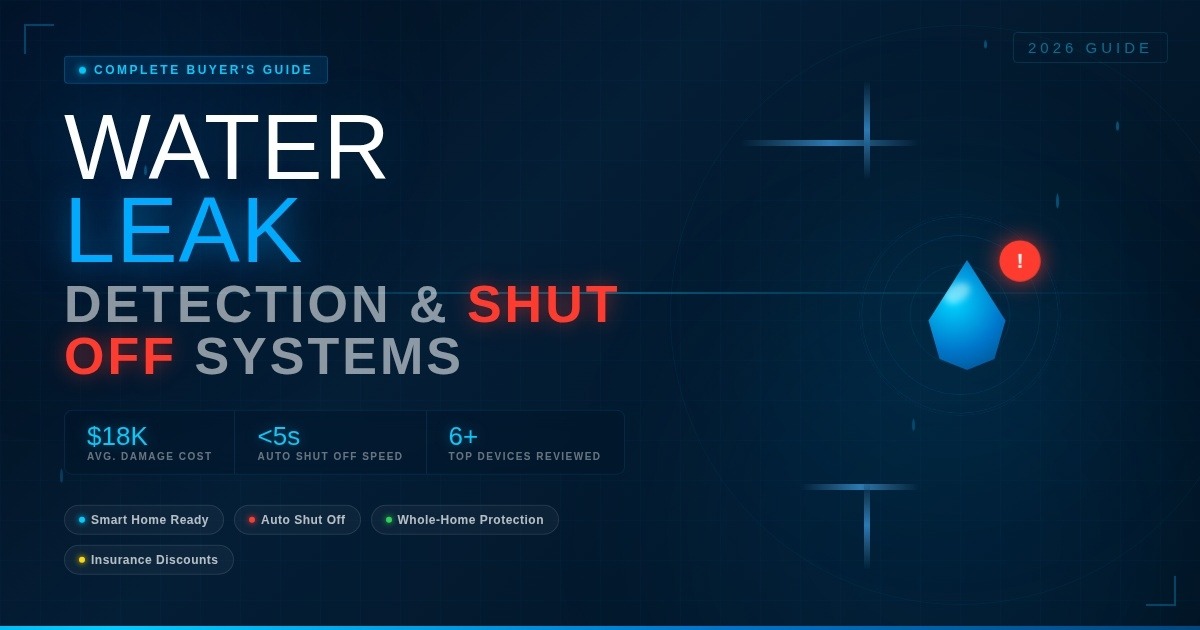
A friend of mine came back from vacation last summer. Two weeks away, beautiful trip. He walked into his kitchen, and the floor was completely warped. Cabinets swollen. That specific smell, you know the one, mold mixed with wet wood.
A slow drip under the sink had been running the whole time he was gone.
Repair bill? $18,000. Insurance covered most of it. But the two weeks in temporary housing, the months of back-and-forth with adjusters, the Automatic Water Leak Detection he’d renovated himself — none of that gets reimbursed.
And here’s the part that still bothers me: a $50 sensor and a basic automatic water shut-off system would have caught it the first day.
That’s why I wrote this. If you’ve been putting it off, stop. Let’s figure out what you actually need.
What Is Automatic Water Leak Detection?
It’s simpler than it sounds, honestly.
An automatic water leak detection system finds water where it shouldn’t be — and then does something about it before damage happens. Not just beep at you. Actually, stop it.
Automatic Water Leak Detection is a basic sensors alert you. A real automatic water leak detection system:
- Detects moisture or abnormal water flow
- Sends an instant alert to your phone
- Closes your main water supply valve on its own
- Does all of this matter whether you’re home or not
Think of it like an automatic water leak detection for your plumbing. Sits there quietly. Does nothing 99% of the time. But when something goes wrong, it moves fast.
These automatic water leak detection systems have been standard in hotels and hospitals for years. The reason you’re hearing about them now for homes is simple: the price dropped, the tech got easier, and the apps actually work in 2026.
Why You Seriously Need One This Year
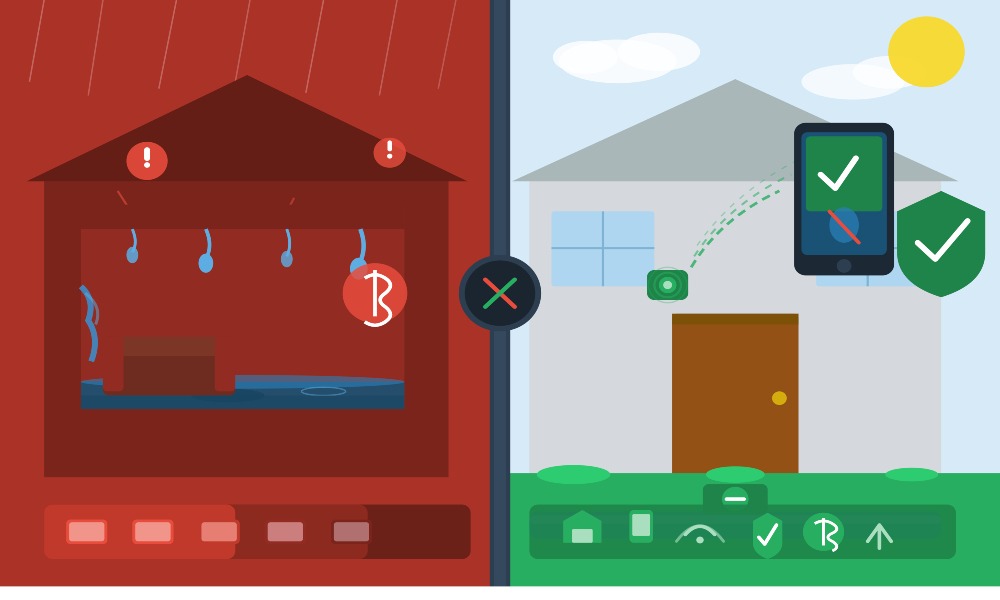
Water damage is the second most common home insurance claim. Not fire. Not theft. Water.
Average claim? Somewhere between $10,000 and $25,000. And that’s before your deductible, before your premium goes up next renewal, before you spend three weeks living out of a suitcase.
The part that makes it worse is that it’s usually quiet. It hides inside walls, under floors, behind appliances. By the time you smell something or see the floor bubbling, it’s been going on for weeks.
Here’s what’s specific to automatic water leak detection 2026 that makes now the right time:
- Water rates are rising in most cities. A hidden drip isn’t just damaging your home — it’s quietly running up your bill every month.
- Insurance discounts are real. Some insurers knock off 5–15% for homes with certified automatic water shut-off systems. Call your agent and ask. Seriously.
- Smart home integration finally works. Alexa, Google Home, Apple HomeKit — these automatic water leak detection systems connect without fighting you.
- Remote monitoring is a game-changer. Traveling for work? Get a push notification, shut your water off from your phone, and call a neighbor. Done. No $18,000 kitchen.
How Does an Automatic Water Leak Detection System Actually Work?
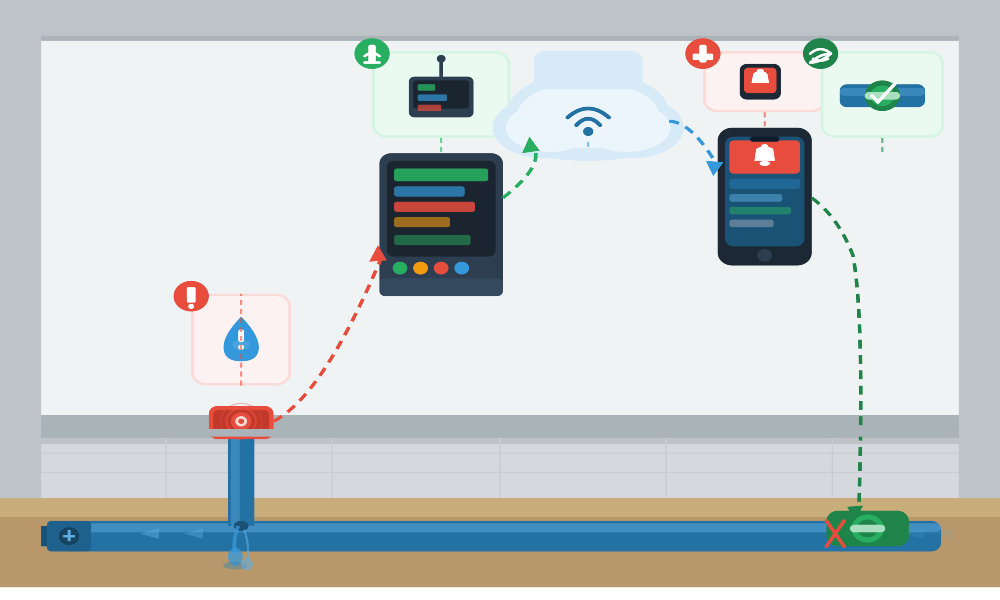
Two approaches. Very different. Both are valid depending on your situation.
Spot Sensors — Simple and Cheap
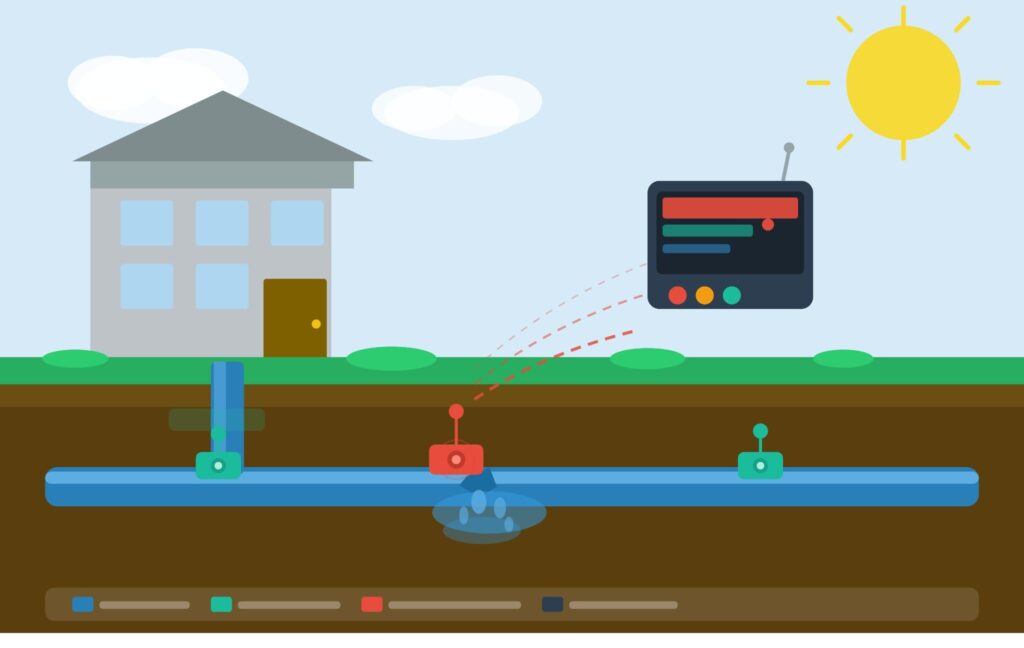
Small sensors. Place them on the floor in risky spots:
- Under kitchen and bathroom sinks
- Next to the water heater
- Behind the washing machine
- Near the toilet base
- In the basement by the sump pump
When water touches the metal probes on the bottom, it triggers an alert. Loud local alarm. Push notification. And if connected to a shut-off valve, water stops automatically.
The limitation? They only catch automatic water leak detection where you placed them. A pipe bursting inside a wall? You’d never know until the drywall starts bubbling.
Whole-Home Flow Monitoring — Smarter Coverage
One device installs on your main water supply line. It watches flow, pressure, and temperature 24 hours a day.
The smart part — automatic water leak detection systems like Moen Flo and Phyn Plus actually learn your home’s habits:
- They know when your sprinklers run.
- They know how long your showers usually are
- They know what “normal” looks like for your specific house.
So when water runs at 3 a.m. when nobody’s awake — or pressure drops suddenly like a pipe just burst — it flags it. Triggers the automatic water shut-off valve. Done.
You don’t have to be home. You don’t have to see the notification.
How the Shut Off Valve Works
A motorized ball valve sits on your main supply line. When the system confirms an automatic water leak detection— usually within one to five seconds — it rotates closed. Water stops flowing to the entire house.
You also get manual control through the app. Traveling and got an alert? Shut the water off yourself remotely until someone can check it out.
Types of Water Leak Detection Systems
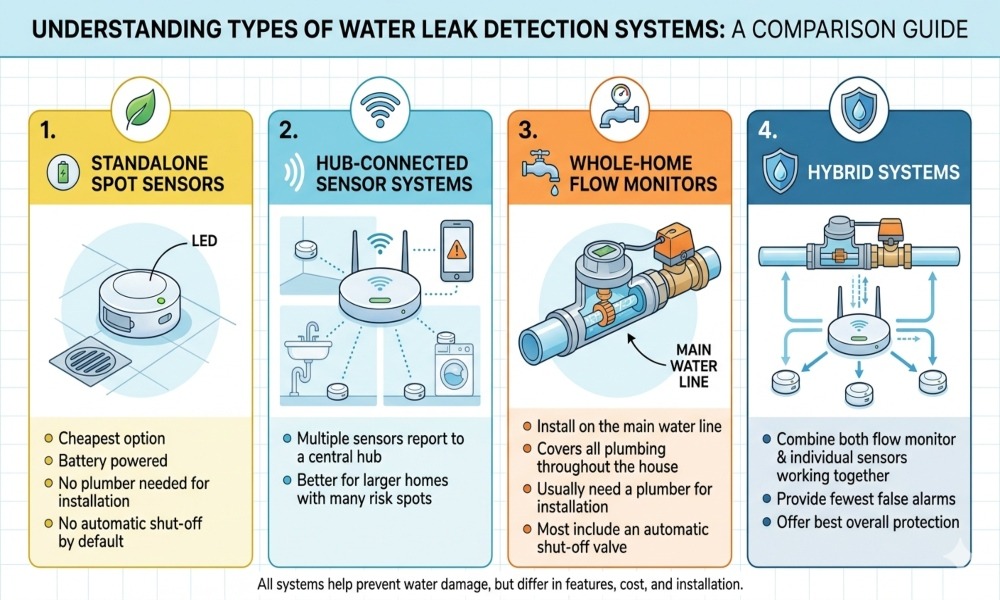
Not all automatic water leak detection systems are the same thing. Here’s how to tell them apart:
- Standalone spot sensors — cheapest option, battery powered, no plumber needed, no automatic shut off by default
- Hub-connected sensor systems — multiple sensors report to a central hub, better for larger homes with many risk spots.
- Whole-home flow monitors — install on the main line, cover everything, usually need a plumber, and most include an automatic shut-off.
- Hybrid systems — combine both; flow monitor plus individual sensors working together, fewer false alarms, best overall protection.
Best Automatic Water Leak Detection Devices in 2026
Here’s what’s actually worth buying right now. I’ve gone through the options and cut out the ones that don’t hold up in real use.
1. Moen Flo Smart Water Monitor and Automatic Shut Off
Best overall for whole-home protection
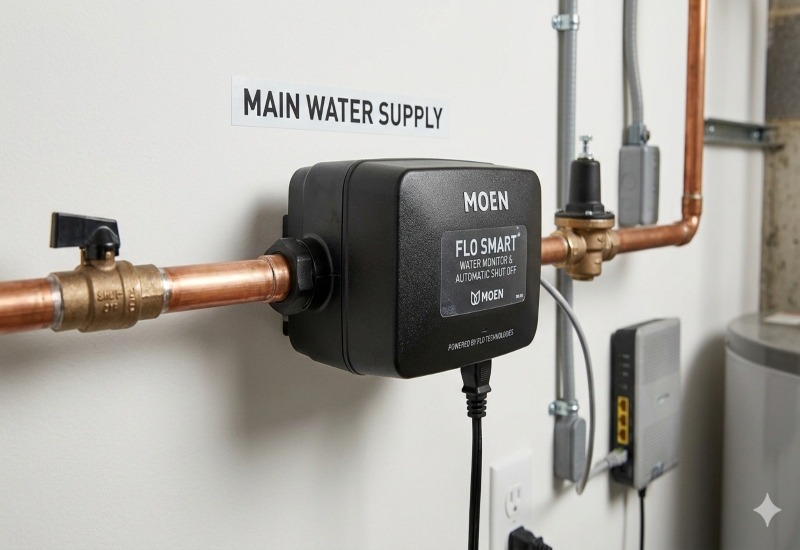
This is the one most people should seriously consider if budget isn’t the only factor.
It installs on your main water supply line and runs a quiet “health check” every single day — catching micro-leaks so small you’d never notice them on your own. Slow drip inside a wall. The toilet is running just slightly more than it should.
What makes it stand out:
- FloSense technology learns your home’s specific usage patterns.
- False alarms are genuinely rare — it understands your house.
- Built-in motorized valve shuts water off automatically.
- Daily usage data in the app — useful for spotting waste
- Works with Alexa, Google Assistant, Apple HomeKit
The downside is the cost of the automatic water leak detection device, plus a plumber to install it. But for homeowners who want real peace of mind, this is the benchmark everything else gets compared to.
Price: $500–$600 device + $100–$300 installation
2. Phyn Plus Smart Water Assistant
Best for detailed water data and pinpoint accuracy
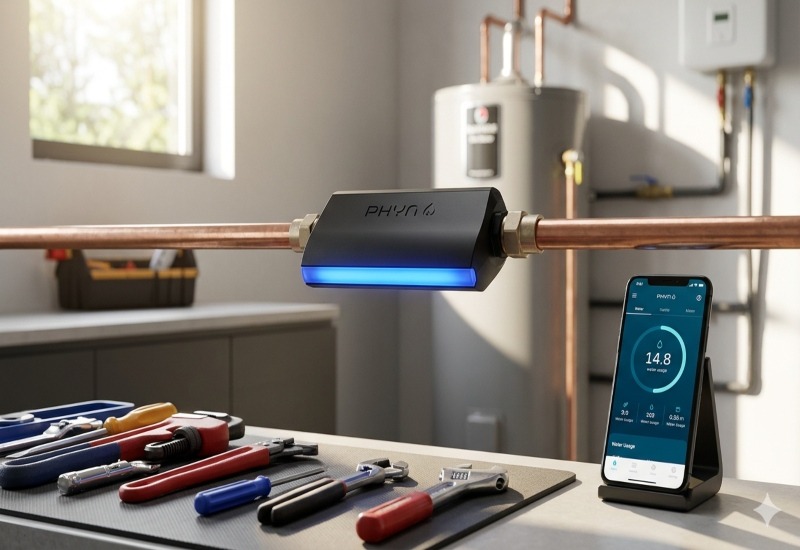
The Phyn Plus samples your home’s water pressure 240 times per second. That’s not a typo. Per second.
That level of detail means it can actually identify which fixture is running at any given time. And when it sends you a leak alert, it’s not just “something seems off.” It’s closer to “unusual flow near your main bathroom that looks like a dripping faucet.”
- Fixture-level identification is genuinely impressive.
- Automatic shut-off built in
- Best app data visualization in this category
- Alexa, Google Home, and Apple HomeKit are supported
It costs more than the Moen Flo and still needs a plumber. But if you want maximum detail about what’s happening in your plumbing — this is your system.
Price: $700–$800 device + professional installation
3. Flo by Moen Smart Water Detector Sensors
Best targeted spot protection without the big investment
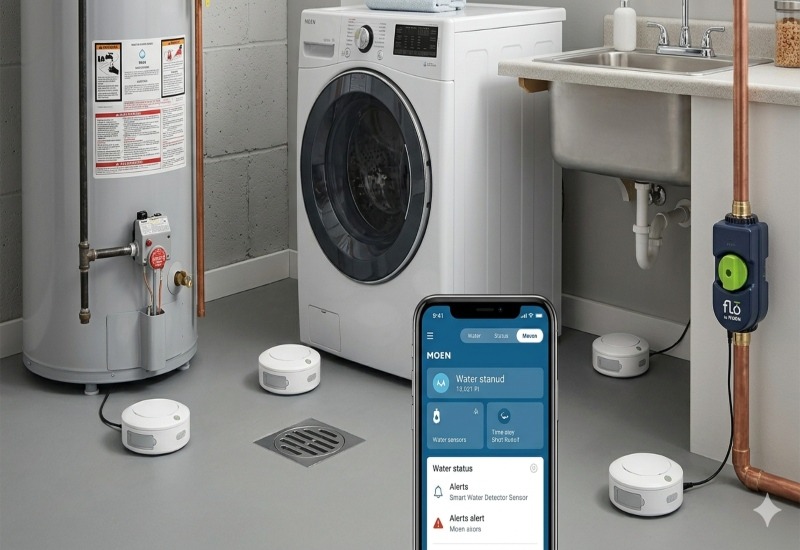
Not everyone needs a whole-home monitor. And for a lot of homes, a few well-placed automatic water leak detection sensors cover 80% of the real risk.
These small wireless automatic water leak detection sensors connect to the Flo app and alert you the moment moisture is detected. Battery life runs three to five years without thinking about it.
- Works standalone or paired with the Moen Flo main-line system
- Easy to expand — add more sensors as needed
- Clean app, reliable alerts
- Great starting point before upgrading later
Price: $50–$70 per sensor
4. Govee Water Sensor
Best budget option that actually delivers
Not everyone can spend $600 on a whole-home monitor. That’s completely fine. The Govee sensor proves you don’t have to.
- Connects directly via Wi-Fi — no hub needed
- Push notifications to your phone when moisture is detected.
- Built-in alarm loud enough to hear from another room
- Setup takes about five minutes.
No automatic shut off. No flow analytics. Just honest, simple automatic water leak detection at a price that makes sense for renters or anyone starting out.
Price: $15–$25 per sensor
5. Resideo 5800FLOOD Wireless Flood Detector
Best for existing Honeywell/Resideo security system owners
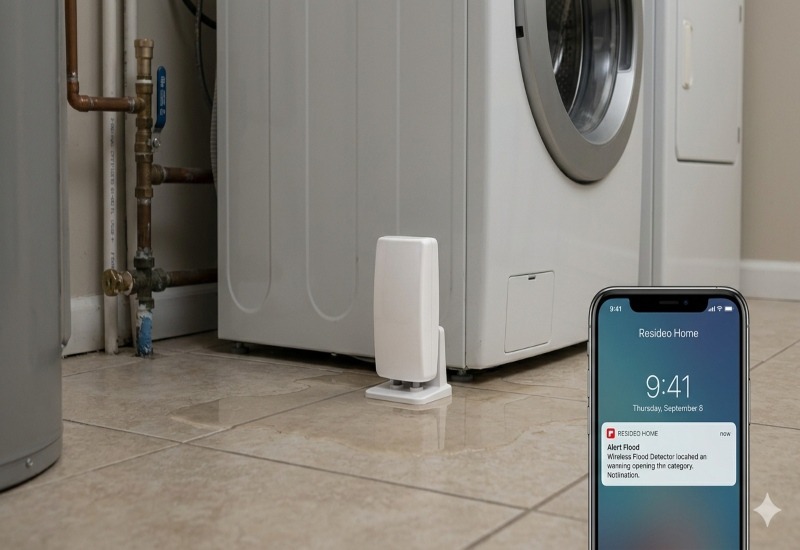
Already have a Resideo or Honeywell security panel? This is a natural add-on.
- Integrates directly with your existing alarm system
- Water leak alerts go through the same panel as your security monitoring.
- If you have professional monitoring, they respond to leaks just like break-ins.
- No separate app to manage
For anyone already in this ecosystem, it’s the cleanest option available.
Price: $40–$60 per sensor
6. LeakSmart Whole Home System
Best DIY whole-home shut off without hiring a plumber.
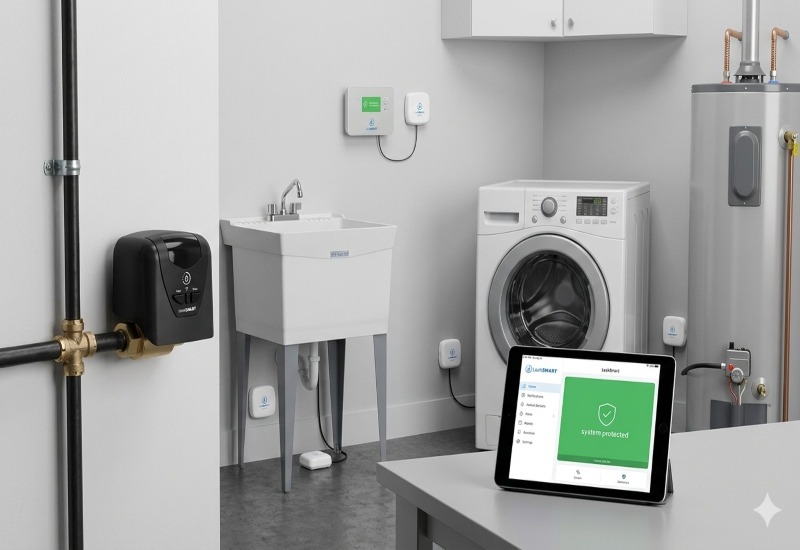
This one fills a gap that most competitors ignore.
The Moen Flo and Phyn Plus require professional installation. LeakSmart offers a whole-home automatic shut-off valve in a kit that handy homeowners can actually install themselves.
- Supports up to 32 sensors
- Valve closes in under five seconds when a leak is detected.
- Connects with Alexa, SmartThings, and other platforms
- Not as sophisticated as Moen for analytics — but the protection is real.
For DIY whole-home protection without the plumber bill, this is genuinely the best option in 2026.
Price: $200–$350 for a complete starter kit
How to Pick the Right System for Your Home
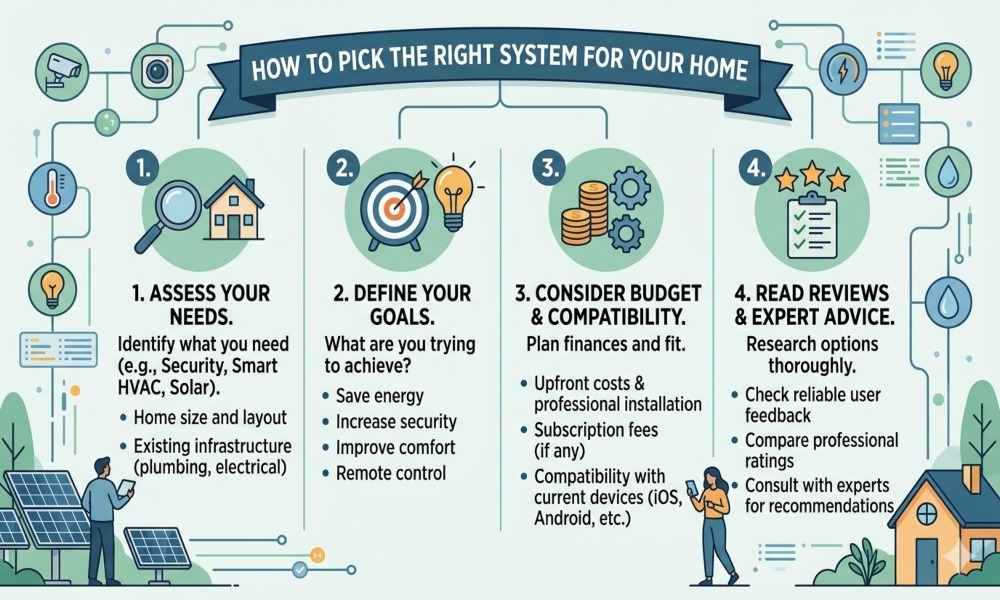
Don’t overthink it. Ask yourself these four questions:
Where are your real risk spots?
- Old water heater, basement sump pump, and washing machine that’s been there ten years?
- If you can name three to five spots, a few smart sensors cover most of your real risk cheaply
Do you want automatic shut-off?
- Sensors alert you. Shut off automatic water leak detection systems even if you don’t see the alert.
- If you travel or just want real protection, Shut Off is worth the extra cost.
How comfortable are you with plumbing?
- Not at all comfortable — hire a plumber, go with Moen Flo or Phyn Plus
- Reasonably handy — LeakSmart gives you shut-off capability without the labor bill.
What smart home ecosystem are you in?
- Most systems support Alexa and Google Home.
- Apple HomeKit is not universal — check before you buy
Installation — What to Actually Expect
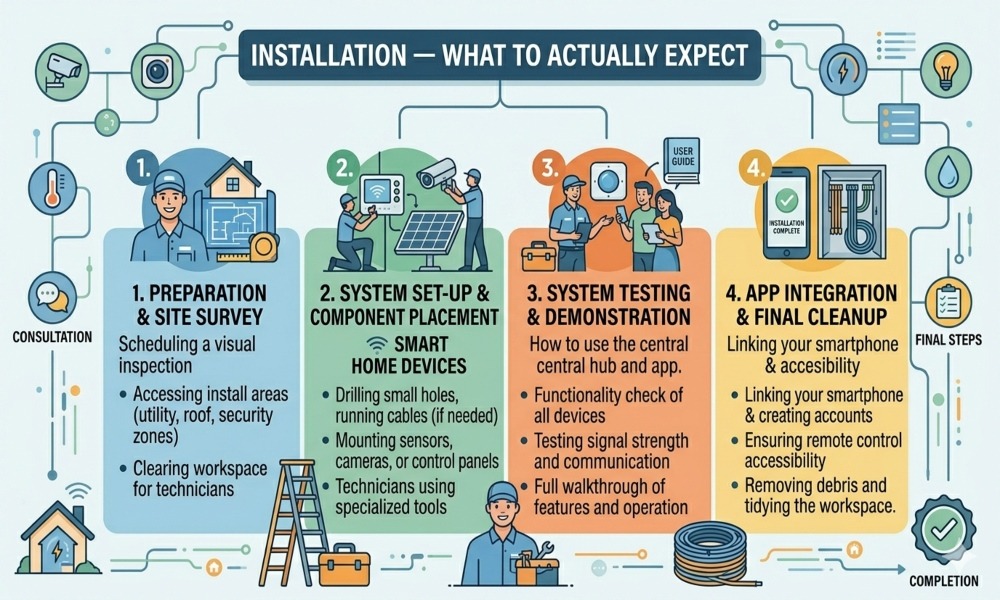
Spot sensors:
- No plumber needed
- Place on the floor — not mounted on walls, water runs down.
- Connect to the app, test with a wet cloth on the probes.
- Done in about twenty minutes total
Main-line flow monitors:
- Requires cutting into your water supply line
- Unless you’re experienced, hire a licensed plumber.
- Budget $100–$300 for labor, depending on your location
Tips that apply to every system:
- Keep sensors away from showers — steam and humidity cause false alarms.
- Test every sensor after setup — don’t assume it works.
- Check battery levels once a year, even if the app hasn’t alerted you.
Real Cost Breakdown
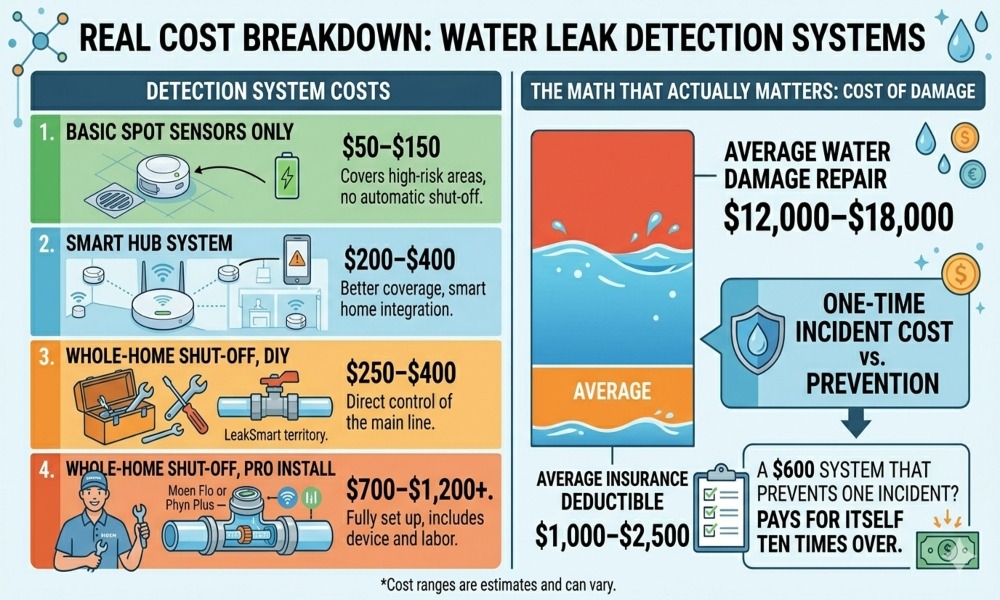
- Basic spot sensors only: $50–$150 — covers high-risk areas, no shut off
- Smart hub system: $200–$400 — better coverage, smart home integration
- Whole-home shut off, DIY: $250–$400 — LeakSmart territory.
- Whole-home shut off, professional install: $700–$1,200+ — Moen Flo or Phyn Plus fully set up.
Here’s the math that actually matters:
- Average water damage repair: $12,000–$18,000
- Average insurance deductible: $1,000–$2,500
- A $600 system that prevents one incident? Pays for itself ten times over.
FAQs
Will this lower my home insurance premium?
It can. Some insurers offer 5–15% discounts for certified automatic shut-off systems. Not all of them do. Call your agent directly and ask.
Do I need a plumber?
For spot sensors — no. For main-line monitors — usually yes, unless you’re going with LeakSmart and you’re comfortable with basic plumbing.
What’s the difference between a sensor and a whole-home monitor?
A sensor for automatic water leak detection and moisture at one specific spot. A whole-home monitor watches your entire plumbing system through flow and pressure data — no sensor placement needed.
Will it accidentally shut off my water?
Modern automatic water leak detection systems with smart flow learning have gotten much better at this. False positives still happen sometimes — especially with unusually heavy water use. Most let you adjust sensitivity and manually override through the app.
Can I use this in an apartment?
Spot sensors — yes, absolutely. Main-line shut off — no, you typically don’t have access to your own supply valve in a multi-unit building.
What if my Wi-Fi goes down?
Most automatic water leak detection systems still alarm locally. You won’t get a phone notification, but the sensor beeps. Some higher-end systems have cellular backup.
How long do batteries last?
Two to five years typically. Good automatic water leak detection sensors send a low-battery alert to your app before they die.
Final Thoughts
You wouldn’t skip an automatic water leak detection. You wouldn’t skip a carbon monoxide alarm. Those protect against things that are statistically far less likely to happen to you than a water leak.
Roughly one in fifty homeowners deals with water damage every single year. It’s not rare. It’s quiet, slow, and expensive — and in most cases completely preventable.
Start small if you have to:
- A sensor under the kitchen sink
- One next to the water heater
- One behind the washing machine
That alone puts you in a dramatically better position than doing nothing.
And when you’re ready to go further, a whole-home automatic water leak detection system with shut off is one of those purchases you make once and then genuinely stop worrying about. That’s rare. Take it.

In 2026, home climate control has evolved into an essential aspect of modern living, blending technology, efficiency, and sustainability to enhance comfort and air quality.
This article explores the transformative nature of smart climate control systems and how they extend beyond temperature control to offer energy savings, air quality control, and integration with other smart home devices.
Featuring an in-depth comparison of the top 7 smart climate control devices of the year, it explores AI-driven learning algorithms, multi-zone control, and real-time climate adjustments.
Be it families that want to customise their comfort or homeowners that are environmentally conscious and want to minimise their carbon footprint, the article provides the main features, advantages, and factors to consider when selecting the appropriate smart home climate control system in 2026.
Be ahead of the curve with innovative solutions that will not only maximise comfort but also help to create a sustainable and cost-effective future for your home.
Why Home Climate Control Matters in 2026
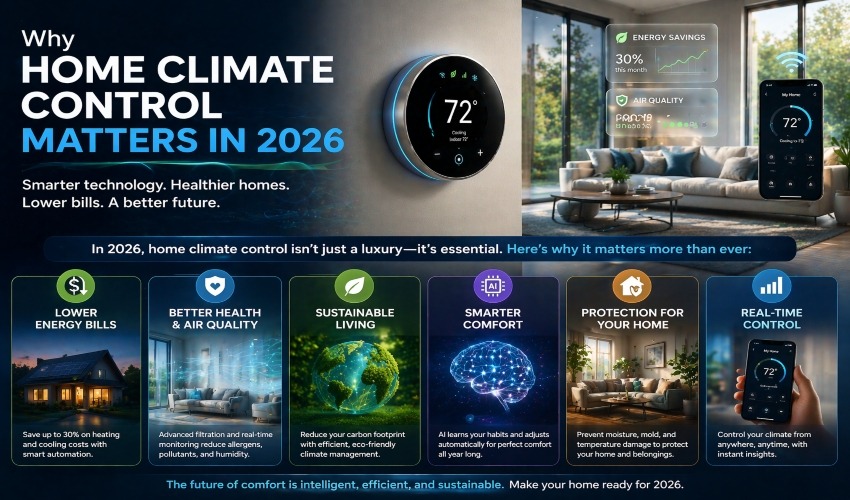
The way we manage temperature, humidity, and air quality in our homes has drastically evolved over the years. In 2026, home climate control has become more than just a matter of comfort; it’s about efficiency, sustainability, and technological integration.
Smart home climate control systems are becoming a staple in modern homes, offering not only improved energy efficiency but also better air quality, enhanced comfort, and full integration with other home automation systems.
In this article, we’ll explore why home climate control is essential for today’s homeowners, and how smart home systems with climate control are transforming the way we live. We’ll also delve into the key benefits of integrating climate control into your home’s ecosystem.
What is Home Climate Control?
Home climate control refers to the technology and systems used to maintain and regulate the environment inside a home, particularly with regard to temperature, humidity, and air quality.
Climate control systems for homes include traditional HVAC systems (heating, ventilation, and air conditioning), as well as newer smart home climate control systems that offer more personalised, energy-efficient solutions.
These systems are designed to create a comfortable living environment year-round by controlling both the temperature and airflow. But with advancements in home automation climate control, today’s systems go beyond just adjusting temperature.
How Do Smart Home Climate Control Systems Work?
Smart home climate control systems are designed to make life easier and more comfortable by using advanced technology to regulate the home’s temperature and air quality automatically.
- These systems leverage IoT devices (Internet of Things) and AI home climate control algorithms to learn about the occupants’ preferences, adjust the settings accordingly, and even adapt to seasonal changes.
- One of the main features of smart home climate control is that it allows for remote monitoring and control.
- Homeowners can adjust the settings through a mobile app, even when they are away from home.
- This can save energy by ensuring that the system only runs when needed and can also optimise energy usage by adjusting the temperature based on whether someone is home or not.
- As smart home climate control technology continues to evolve, 2026 introduces groundbreaking devices that integrate AI, energy efficiency, and automation to revolutionise home comfort.
- Smart climate control systems are no longer just about keeping temperatures steady; they now monitor air quality, adjust humidity, and seamlessly integrate with the rest of your smart home ecosystem.
Top 7 Smart Home Climate Control Devices 2026 Latest
In this article, we’ll dive into the top 7 smart home climate control devices for 2026, detailing their key specifications, pros, cons, and real-life impact. Whether you’re upgrading your home or just getting started, these smart automation devices will ensure that you stay ahead of the curve in comfort and sustainability.
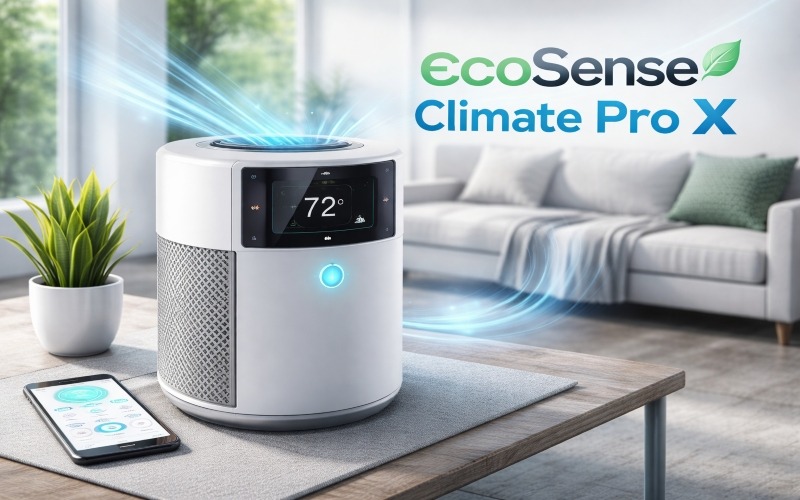
1. EcoSense Climate Pro X
Overview
The EcoSense Climate Pro X is a game-changer for those looking for a combination of AI-powered climate control and energy efficiency. Designed to automatically learn and adjust to your schedule, this system brings both convenience and sustainability.
Key Specifications
- An AI Learning Algorithm that adapts to daily routines
- Dual-Zone Temperature Support for multi-room control
- Smart Humidity Monitoring
- Integration with Alexa, Google Assistant, and other smart devices
- Energy Use Reporting for optimised savings
Pros
- Automatically adjusts based on your routine.
- Energy-efficient, helping to reduce utility bills.
- User-friendly mobile app with remote access
- Seamless integration with smart home systems
Cons
- Dual-zone system only; not for larger homes with more zones
- Needs consistent Wi-Fi for advanced features
Real-Life Impact
For busy families, EcoSense Climate Pro X offers a stress-free solution. Its adaptive nature means that you can rely on it to keep rooms at optimal temperatures, even when you’re not home. Many users have reported up to 25% savings on energy costs by allowing the system to intelligently control their home’s climate.
2. HomeComfort UltraSync
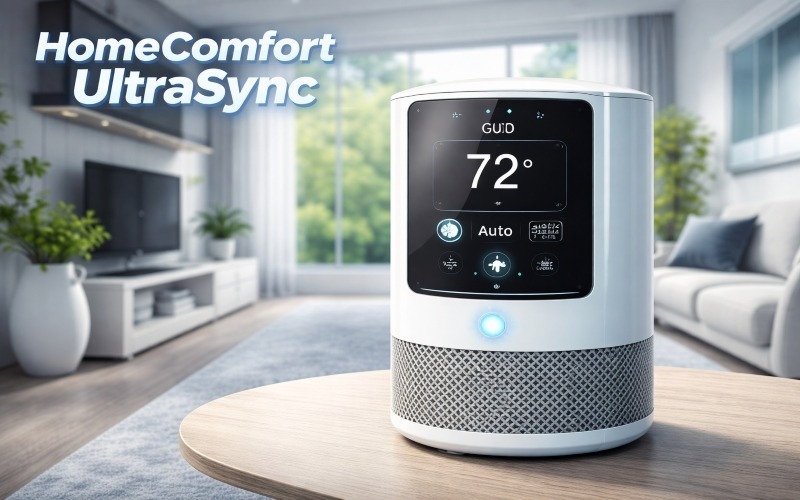
Overview
If you have a large or multi-level home, HomeComfort UltraSync is the perfect solution. It allows for multi-zone climate control, ensuring that different areas of the home remain at optimal temperatures.
Key Specifications
- Multi-Zone Control (up to 6 zones)
- Voice-Control Integration (Alexa, Google Assistant)
- Real-time Climate Adjustments
- Mobile App for remote monitoring and control
Pros
- Ideal for large homes with multiple living areas
- Easy to install and configure
- High customisation options for each zone
- Provides energy consumption insights
Cons
- Slightly more expensive compared to basic models
- It can be overkill for small apartments
Real-Life Impact
HomeComfort UltraSync is particularly beneficial for families with diverse temperature preferences. It provides individual temperature zones that can be tailored to personal preferences, for example, a cooler bedroom for sleeping and warmer spaces for living areas. Users have reported more even comfort throughout the house with significantly reduced temperature fluctuations.
3. ClimateGuard Smart Thermostat Plus
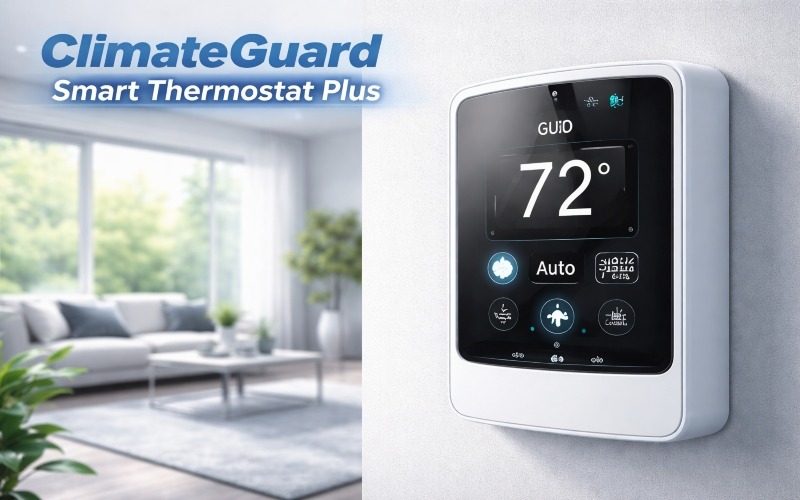
Overview
The ClimateGuard Smart Thermostat Plus is a reliable option for those looking to upgrade their home climate control without breaking the bank. It offers basic smart functionality with energy-saving features.
Key Specifications
- Smart Scheduling that learns your preferred settings
- Mobile App Control for remote adjustments
- HVAC Health Alerts to maintain system efficiency
- Compatible with most HVAC systems
Pros
- Affordable and simple smart upgrade
- Easy to install without needing a professional
- Offers energy-saving insights
- Compatible with existing HVAC systems
Cons
- No advanced features like humidity sensors
- Limited to single-zone control
Real-Life Impact
For homeowners new to smart home climate control, ClimateGuard offers a quick and affordable solution. Users report feeling more in control of their home’s energy use, and many love how they can easily adjust the temperature before arriving home, ensuring the house is comfortable without wasting energy.
4. Aura AirMaster Climate Hub
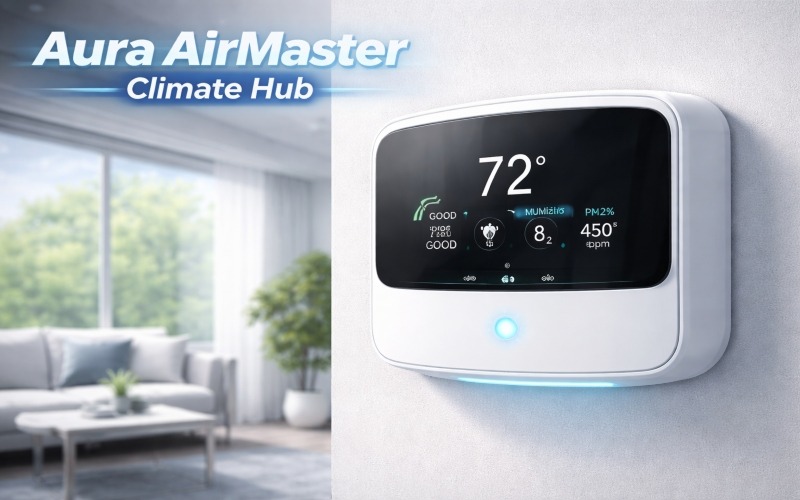
Overview
Designed for those who value air quality just as much as temperature control, the Aura AirMaster Climate Hub combines climate control with advanced air purification to improve indoor air quality.
Key Specifications
- HEPA and Activated Carbon Filtration for air purification
- Smart Climate Scheduling with temperature and humidity control
- VOC and Particulate Sensors for real-time air quality data
- Integration with smart home systems
Pros
- Excellent air purification alongside climate control
- Ideal for homes with allergy sufferers or smokers
- Real-time air quality monitoring and feedback
Cons
- Higher upfront cost
- Bulky design compared to other thermostats
Real-Life Impact
For families with asthma or allergies, Aura AirMaster offers cleaner air and better comfort. Many users have noted fewer allergy flare-ups and a healthier environment overall, especially in highly polluted urban areas. It’s a great choice for those seeking a healthier, more sustainable living space.
5. ZenTemp Adaptive System
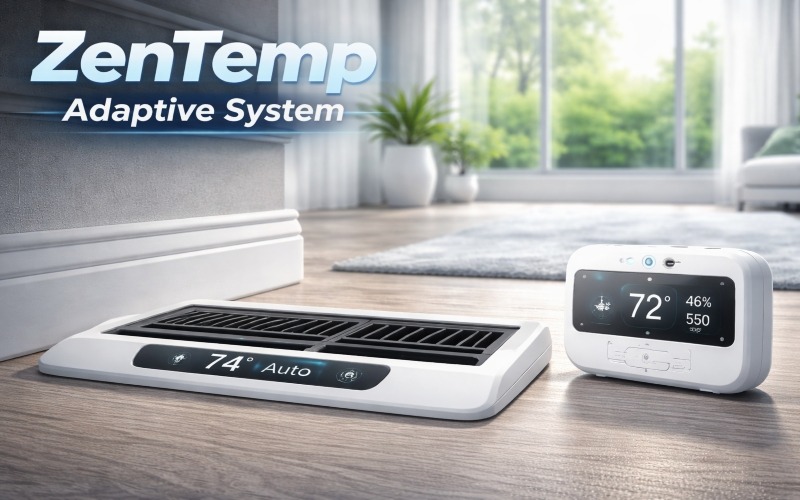
Overview
The ZenTemp Adaptive System is a smart solution that adjusts your home’s climate based on your personalised preferences. It features predictive AI, ensuring your home is always at the ideal temperature when you need it most.
Key Specifications
- AI-Powered Learning to predict the best temperature settings
- Smart App and Voice Control
- Integrated Sensors for better temperature distribution
- Energy Efficiency Reports for optimised savings
Pros
- Predictive AI adapts to your lifestyle.
- Seamless integration with other smart devices
- Energy-efficient for long-term savings
- User-friendly interface with intuitive controls
Cons
- Requires strong Wi-Fi for advanced features
- Advanced analytics may overwhelm new users.
Real-Life Impact
For tech-savvy homeowners who value predictive comfort, ZenTemp excels at automatically adjusting settings for peak efficiency. People have reported minimal manual intervention and a noticeable improvement in temperature stability at all hours of the day. It’s perfect for those who want smart, hands-off climate control.
6. SmartBreeze Climate Control Tower
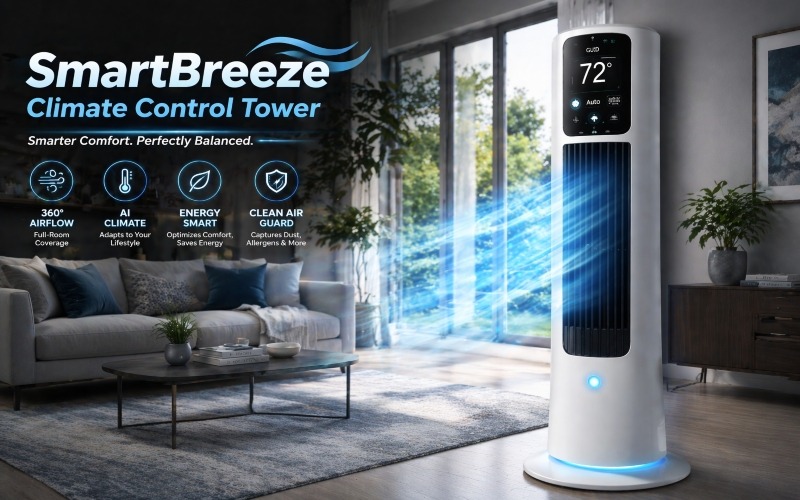
Overview
SmartBreeze is a climate control tower that provides airflow management in addition to temperature regulation. Perfect for open floor plans, this device is all about balancing airflow and creating a consistent climate.
Key Specifications
- Zonal Airflow Management for temperature balancing
- Mobile and Voice Control
- Advanced Sensors to adjust airflow and temperature
- Energy-efficient Smart Features
Pros
- Excellent for open, interconnected spaces
- Helps eliminate hot/cold spots in your home
- Smart energy savings based on airflow optimisation
Cons
- Bulkier design compared to traditional thermostats
- Limited to larger spaces; not ideal for small rooms
Real-Life Impact
For homeowners with open concept layouts, SmartBreeze ensures even temperature distribution throughout the house. People living in multi-room spaces report improved comfort, particularly in areas that previously had trouble maintaining a steady temperature.
7. ThermoBalance Smart Climate 360
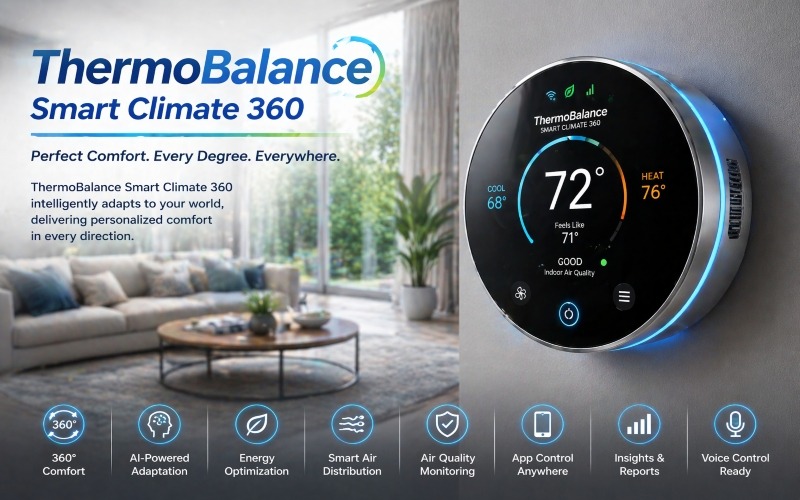
Overview
The ThermoBalance Smart Climate 360 combines temperature, humidity, and air quality regulation, giving you a complete climate solution in one system.
Key Specifications
- 360° Climate Sensing with humidity and air quality control
- Real-time AI Optimisation
- Smart Zone Control for individualised settings
- Comprehensive Reports on energy and air quality
Pros
- Holistic climate control (temperature, humidity, air quality)
- Energy optimization for lower costs
- User-friendly app for easy management
Cons
- More expensive than basic models
- Some users find the features excessive for smaller homes.
Real-Life Impact
For large families or homes with varying temperature needs, ThermoBalance offers a comprehensive solution. It has reduced heating costs by 20% for many users who were previously using manual systems. The ability to track air quality and temperature ensures everyone stays comfortable, no matter their preferences.
Comparison of Best Smart Home Climate Control Devices
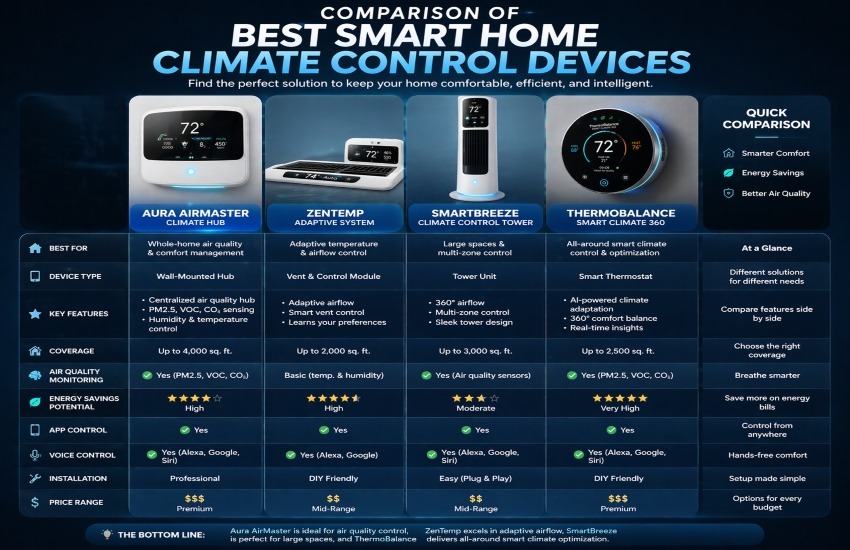
| Device | Best For | Key Features | Pros | Cons |
| EcoSense Climate Pro X | Budget-friendly, Energy-saving | AI scheduling, Dual-zone, Humidity | Energy savings, Smart | Dual-zone, Wi-Fi dependent |
| HomeComfort UltraSync | Large Homes, Multi-zone | Multi-zone, Voice control, Real-time | Customizable zones | Expensive |
| ClimateGuard Smart Thermostat | Budget smart upgrade | Smart scheduling, HVAC alerts | Affordable, Easy install | Single-zone, No humidity |
| Aura AirMaster Climate Hub | Air quality-focused homes | HEPA filtration, Air quality sensors | Excellent air purification | High cost, Bulky |
| ZenTemp Adaptive System | Predictive comfort seekers | AI learning, Smart integration | Predictive, Energy efficient | Needs strong Wi-Fi |
| SmartBreeze Tower | Open concept homes | Airflow management, Smart energy | Even temperature, Efficient | Bulky, Not for small spaces |
| ThermoBalance 360 | Full climate control | 360° sensing, Humidity control | All-in-one, Energy efficient | Expensive, Overkill for small homes |
Key Features of Home Climate Control Systems in 2026
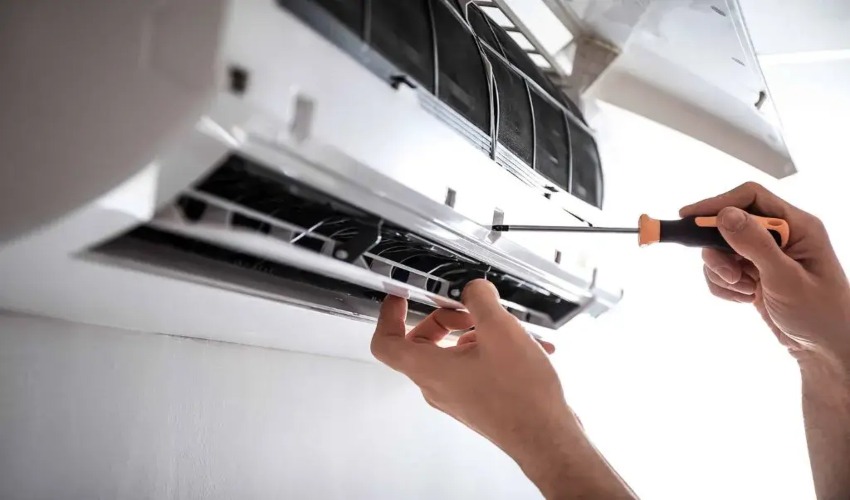
Home climate control systems have advanced significantly over the last few years, thanks to new innovations in technology and automation. Here are some of the standout features that make smart home climate control systems a must-have for modern homes:
1. AI-Powered Climate Control
- Artificial intelligence (AI) is revolutionising home climate control systems. AI algorithms can now predict and learn your behaviour, adjusting the temperature based on your daily routines.
- Whether you like your living room cooler during the day and warmer at night, AI-powered systems can automatically set the right home climate control temperature without requiring manual input.
2. Dual-Zone Climate Control
- For larger homes, dual-zone climate control is an increasingly popular option. This allows for different temperature settings in separate areas of the home, making it more energy-efficient.
- For instance, you might prefer the upstairs rooms to be cooler while maintaining a warmer environment downstairs. This is ideal for homes with multiple floors or distinct areas with varying heating and cooling needs.
3. Smart Integration with Other Home Systems
- The best home climate control systems today are designed to integrate with other smart devices, creating a seamless home automation system.
- Whether it’s your smart thermostat, smart lights, or even your smart home security system, a climate-controlled home can adjust everything based on your preferences.
- Imagine arriving home to find the perfect temperature, the lights automatically adjusting, and even your security system activated—all controlled from your mobile phone or voice assistant.
4. Real-Time Monitoring and Alerts
- Smart climate control systems can also monitor air quality in real-time. Many smart home climate control appliances come equipped with air quality sensors to detect pollutants like carbon dioxide or airborne particles.
- If the air quality drops, the system will alert you and can even adjust the ventilation or temperature to improve the air quality in your home.
5. Energy Efficiency and Cost Savings
- One of the biggest advantages of a smart climate control system is its energy efficiency. Unlike traditional HVAC systems that run continuously, automating home climate control systems ensures that the system only works when necessary.
- For example, your home might automatically adjust its temperature when you leave, then return to your desired comfort level before you arrive. This not only saves energy but also reduces your utility bills.
Why Should You Invest in Home Climate Control in 2026?
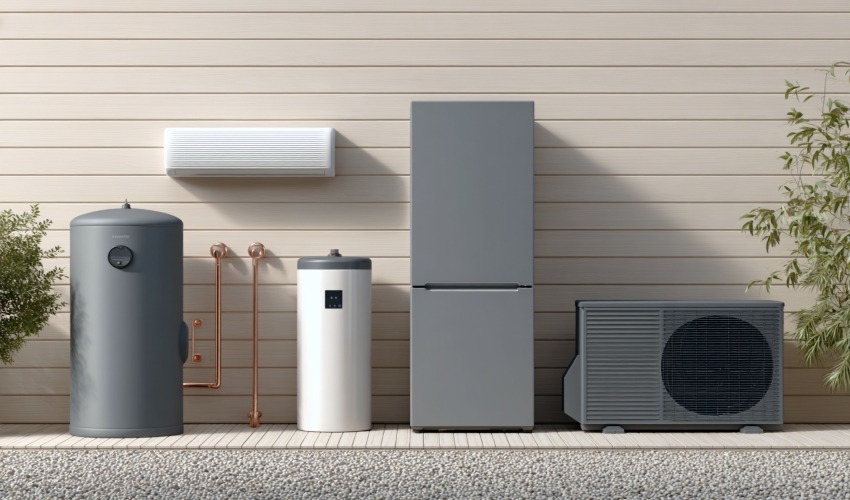
The need for efficient home climate control systems is growing, especially as homes become smarter and more interconnected. Smart home climate control devices can create a personalised, energy-efficient, and healthier living environment.
1. Better Comfort
- With the smart climate control features available today, you can set your home’s temperature exactly the way you want it. Whether you want your bedroom cool for sleeping or your living room warm on chilly evenings.
- Best Home Climate Control Systems can do it all. It adapts to your needs, ensuring that your home is always at the right temperature.
2. Improved Health and Air Quality
- Air quality plays a vital role in overall health, and home climate control systems with air quality monitoring can significantly improve the air you breathe.
- By maintaining optimal levels of humidity and filtration, these systems help reduce allergens and pollutants, creating a cleaner and healthier environment.
3. Save Money on Energy Bills
- By optimising energy use and only running the system when needed, automating climate control systems can result in significant savings on energy costs.
- These systems can detect when you’re away and adjust the temperature settings, meaning you’re never paying for energy you don’t use.
4. Sustainability
- With more people becoming conscious of their environmental impact, sustainable home climate control is increasingly important.
- Many systems now use energy-efficient technologies like solar-powered climate control units, reducing your home’s carbon footprint while maintaining the comfort you deserve.
How to Choose the Best Home Climate Control System

Choosing the right home climate control system can be overwhelming due to the variety of options available. Here are some factors to consider:
- Size of Your Home: Larger homes with multiple floors may benefit from dual-zone climate control or separate thermostats for different areas.
- Energy Efficiency: Look for systems that provide smart energy management to help you save money on energy bills while maintaining comfort.
- Integration: Ensure the system is compatible with other smart devices in your home, such as smart thermostats, lighting, and security systems.
- Budget: Consider your budget and whether you want a high-end AI home climate control system or a more basic option.
FAQs
What is climate control in a house?
Climate control in a house refers to the management of temperature, humidity, and air quality to create a comfortable living environment. It typically involves HVAC systems (Heating, Ventilation, and Air Conditioning), smart thermostats, and air quality monitoring.
Modern smart home climate control devices go beyond temperature regulation, integrating air purification, humidity control, and energy-saving features for improved comfort and efficiency.
What is the $5000 rule for AC?
The $5000 rule is a guideline used to determine when it’s more cost-effective to replace rather than repair your air conditioning unit. According to this rule, if the cost of repairs plus the age of the AC unit exceeds $5000, it might be time to invest in a new unit.
For example, if your unit is 10 years old and a repair costs $1000, the total comes to $6000, making replacement the better option.
Is 23 degrees too hot for a house?
23°C (73°F) is generally considered a comfortable room temperature for most people. However, personal preferences and climate conditions vary. In hot climates, 23°C might feel quite cool, while in cooler areas, it might be too warm.
Ideally, setting your thermostat between 20-22°C (68-72°F) is recommended for a balanced, energy-efficient home temperature.
What is the 3-minute rule for AC?
The 3-minute rule for air conditioners refers to the recommended waiting time before turning an AC unit on or off. If you’ve just turned off your AC, it’s best to wait about 3 minutes before restarting it. This is to prevent damage to the compressor, as it needs time to equalise pressure inside the system. Restarting too quickly can strain the compressor and reduce the unit’s lifespan.
Conclusion
In 2026, smart home climate control devices have become essential for creating comfortable, energy-efficient, and healthier living spaces. From AI-powered systems like the EcoSense Climate Pro X to comprehensive solutions like ThermoBalance Smart Climate 360, there is a device to suit every home and lifestyle.
Whether you’re looking to optimise energy savings, enhance indoor air quality, or enjoy predictive comfort, these devices offer a range of benefits, including personalised climate control, remote management, and real-time monitoring.
Each of these systems plays a pivotal role in the future of smart home technology, allowing homeowners to enjoy greater convenience, cost savings, and sustainability.
Choosing the right system depends on your specific needs, whether it’s multi-zone control, predictive AI, or air quality management. By investing in the best smart climate control devices, you ensure your home remains comfortable and efficient, not just for today, but for years to come.

In the ever-evolving landscape of Roombanker home security, technology plays an increasingly crucial role in safeguarding our most valuable asset, our homes. Among the various options available, one smart home innovation stands out in 2026: the Best Roombanker.
A Roombanker is a cutting-edge home protection system designed to provide round-the-clock monitoring and smart security. The rapid growth of smart homes and IoT (Internet of Things) devices has made Roombankers more efficient, accessible, and affordable than ever before.
In this article, we will dive deep into the world of Best Roombankers for 2026. We’ll explore the key features, how they work, and why investing in one can significantly improve your home’s security. Let’s discover how the Best Roombanker can transform your smart home automation into a faster, safer place to live.
What is the best Roombanker 2026?
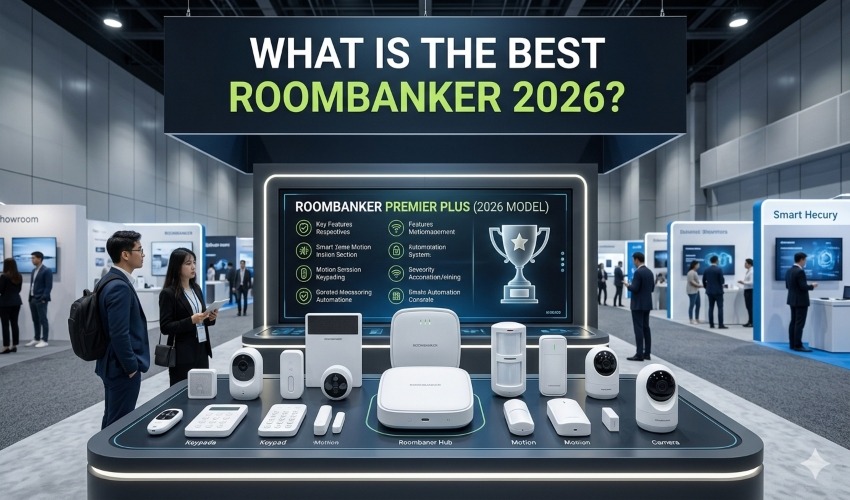
A Roombanker is a revolutionary home security solution that integrates advanced technology to protect your home. At its core, it is a smart device designed to monitor your living space, detect any security threats, and offer real-time protection to your property.
In essence, it serves as the central hub for all your home security needs. It is capable of integrating with existing smart home devices like cameras, sensors, lights, and locks. Whether it’s a door left unlocked, an unexpected motion in the living room, or a potential fire hazard, the Roombanker is always vigilant.
What sets Roombankers apart from traditional home security systems is their ability to provide intelligent protection. This helps reduce false alarms and ensures that only genuine security events trigger alerts.
In 2026, are equipped with the latest sensors and connectivity options, including Wi-Fi, Bluetooth, and even 5G for faster communication. They are also designed to be more user-friendly, with mobile apps that allow homeowners to monitor their properties.
Why You Need the Best Roombanker in 2026?

As we enter 2026, home security has evolved far beyond traditional locks and surveillance cameras. The increasing reliance on smart technology and connected devices has made our homes more vulnerable to cyber threats, and the need for robust, innovative security solutions has never been greater.
In today’s fast-paced world, home security systems are no longer just about preventing break-ins. With the advent of smart homes and automation, homeowners require a solution that not only safeguards their property but also integrates seamlessly with their lifestyle. Roombankers are designed to meet this demand by offering a multifaceted defence system.
The need for in 2026 is particularly relevant because of the increasing complexity of modern living environments. Many homes now feature a growing number of IoT devices, from smart thermostats to voice assistants.
It acts as the brain of your home security, ensuring that all devices are connected and working in harmony to detect and prevent risks before they escalate.
Top Features of the Best Roombanker for 2026
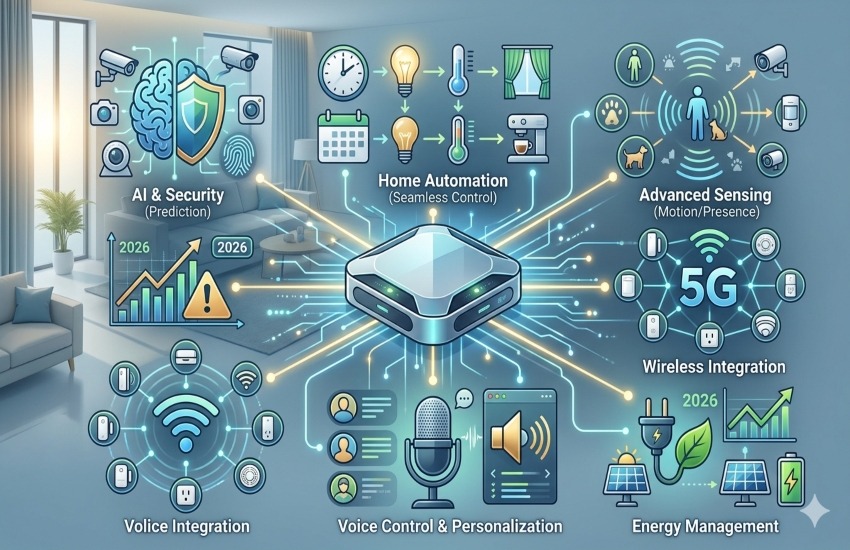
As we look ahead to 2026, they have become much more than just basic security devices; they are now intelligent, multi-functional systems designed to provide comprehensive protection and convenience for your home.
The Best Roombanker in 2026 combines advanced technology, user-friendly interfaces, and cutting-edge security features to ensure your home is safe, smart, and well-protected. Below are the key features that make these devices stand out.
1. AI-Powered Threat Detection
One of the most important features of the Best Roombanker is its AI-powered threat detection system. By analysing data from sensors and cameras around your home, it can quickly identify unusual activities and differentiate between false alarms and real threats. Whether it’s a person moving through your living room at an odd hour or a door left ajar.
2. Smart Integration with IoT Devices
Modern homes are full of smart devices, from thermostats to voice assistants to smart appliances. The Best Roombanker acts as the central hub that integrates all these devices. It can connect with your existing smart home system, such as Amazon Alexa, Google Assistant, and Apple HomeKit, to provide seamless automation. For example, it can automatically turn off lights, lock doors, and activate security cameras.
3. Real-Time Monitoring and Alerts
In the world of home security, a timely response is everything. The Best Roombanker offers real-time monitoring and sends instant alerts directly to your phone or other connected devices. Whether you’re at work, on vacation, or just in the other room, you will receive notifications if something seems off.
4. Remote Control via Mobile App
One of the most valued features is the ability to control and monitor your system remotely. The mobile app offers users the flexibility to arm/disarm their system, adjust settings, view real-time footage, and receive notifications no matter where they are.
5. 24/7 Video Surveillance with Cloud Storage
Continuous video monitoring is a critical component of a modern home security system. The Best Smart Home Device is equipped with HD cameras that provide round-the-clock surveillance of your home. The system stores video footage in cloud storage, allowing you to easily access recordings in the event of an incident.
6. Fire, Flood, and Environmental Hazard Detection
The Best Roombanker doesn’t just protect against intruders; it also monitors for environmental hazards. Equipped with smoke detectors, carbon monoxide sensors, and water leak detectors, it provides comprehensive protection against a range of household dangers.
In the event of a fire, leak, or toxic gas buildup, the system will alert you immediately and can even trigger automatic responses like shutting off the gas or notifying emergency services.
7. Facial Recognition and Smart Entry Systems
Security systems are becoming increasingly advanced with the use of facial recognition technology. The Best Roombanker in 2026 includes this feature, allowing it to recognise familiar faces and grant access without the need for traditional keys or entry codes.
Paired with smart locks, it can automatically unlock doors when authorised individuals approach, making entry convenient and secure.
8. Voice Command Integration
For added convenience, many of the Best Roombanker systems now include voice command integration. You can issue commands like “Lock the doors” or “Arm the security system” using only your voice, either through the mobile app or by using virtual assistants like Alexa or Google Assistant.
9. Customizable Security Settings
Every home is different, and so are the security needs of its occupants. The Best Roombanker comes with customizable settings to cater to various lifestyles and preferences.
Whether it’s adjusting the sensitivity of motion sensors or scheduling when the system arms itself, homeowners can tailor the device to fit their specific needs. This flexibility ensures that the system works for you, not the other way around.
10. Cybersecurity Features
As homes become smarter, they also become more vulnerable to cyber-attacks. The Best Roombanker takes this into account by offering advanced encryption and secure data transmission to ensure that your system and personal information remain safe from hackers.
How the Best Roombanker 2026 Protects Your Home?
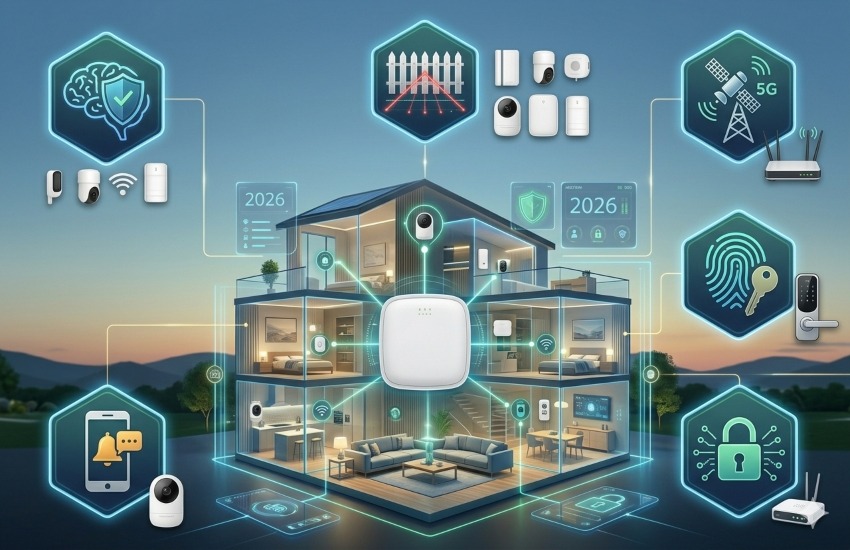
A Roombanker is more than just a smart security device—it acts as the central pillar of your home’s defence system, ensuring that your property remains safe from a variety of potential threats.
From intruders to environmental hazards, the Best Roombanker leverages a combination of advanced sensors, AI-powered analysis, and real-time monitoring to provide round-the-clock protection.
1. Intruder Detection and Response
The primary role of any home security system is to protect against unauthorised entry, and Roombankers excel in this regard. Using motion sensors, cameras, and AI-driven software, the Best Roombanker is able to detect any suspicious movement around your property. When an intruder attempts to break in, the system reacts instantly. In many cases, it will trigger an alarm, lock all doors and windows, and even send real-time alerts to your phone, so you can take immediate action.
What’s more, many Roombankers have two-way audio functionality, allowing you to communicate with intruders through your system. This can serve as a deterrent, as the intruder will hear your voice, letting them know they’ve been detected and that help is on the way.
The Best Roombanker 2026 can also be connected to local authorities, automatically notifying the police or security personnel if a break-in is confirmed.
2. Fire and Carbon Monoxide Protection
A Roombanker is not just about preventing intrusions; it also guards your home against environmental hazards. Smoke detectors and carbon monoxide sensors are integrated into the system, providing immediate alerts if dangerous levels of these substances are detected.
In the event of a fire, the Best Roombanker will notify you instantly, and in many cases, it will trigger automatic responses like shutting off electrical devices to prevent further risks.
3. Flood Detection and Emergency Response
Floods and water damage are some of the most common yet devastating threats to homes. The Best Roombanker can help you avoid these disasters by monitoring for water leaks and sudden changes in moisture levels. Integrated water sensors are placed in key areas like basements, kitchens, and bathrooms.
When these sensors detect water, the system alerts you immediately, allowing you to take action before the damage becomes severe.
In some cases, the system can even shut off water valves to prevent further flooding, providing a comprehensive defence against water damage. This proactive approach is crucial in protecting your home from costly repairs and potential structural damage.
4. Real-Time Alerts and Mobile Control
The Best Roombanker operates seamlessly with a mobile app, allowing you to monitor your home’s security from anywhere in the world. Whether you’re on vacation or at work, you can always check the status of your system in real time.
The app sends push notifications for any unusual activity, such as an open door or a detected motion event, and it gives you the option to take immediate action, whether it’s locking a door, calling for help, or reviewing live camera footage.
In the event of an emergency, the Best Roombanker can automatically contact emergency responders or local authorities, ensuring that the right people are alerted even if you’re unavailable. This built-in connectivity ensures that help is never too far away, no matter the situation.
5. Smart Automation for Daily Protection
The Best Roombanker doesn’t just wait for emergencies to occur; it also proactively protects your home by integrating with your smart devices and automating everyday tasks. For example, when you leave for work, the system will automatically arm itself, lock all doors, close windows, and turn off lights.
The system can also create schedules for routine tasks like turning on lights in the evening to make it appear as if someone is home, thus deterring potential burglars. Additionally, it can automatically adjust your thermostat to save energy when you’re not at home, offering both security and energy efficiency.
6. Advanced AI Analysis for Threat Prediction
One of the standout features of the Best Roombanker is its ability to learn. Using AI and machine learning, the system analyses your home’s activity patterns over time. It knows when you typically leave and return home, when your family members move around, and what activities are considered normal.
For instance, if the system detects unusual motion at a time when no one is supposed to be home, or if a door is opened during odd hours, it will trigger an alert. This predictive capability ensures that threats are detected and mitigated before they escalate, offering a much more dynamic and effective security solution than static, traditional systems.
Customer Reviews and Expert Opinions
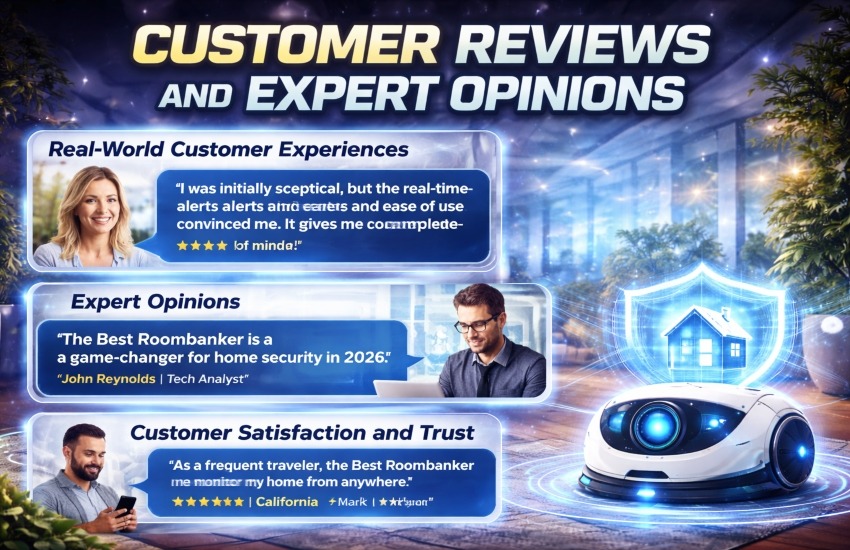
One of the best ways to determine whether the Best Roombanker lives up to its promises is by hearing from the people who use it daily, homeowners, security experts, and technology reviewers.
Below, we’ll explore some real-world customer reviews and expert opinions that highlight its effectiveness and how it’s changed the landscape of home security in 2026.
Real-World Customer Experiences
Homeowners who have integrated the Best Roombanker into their smart homes rave about its ability to seamlessly blend with existing systems while enhancing security. Sarah, a homeowner in New York, shares her experience:
“I was initially sceptical about investing in a Roombanker, but after seeing how easy it was to install and how responsive it was in detecting potential threats, I’m completely convinced. The real-time alerts give me peace of mind when I’m away, and I feel safer knowing that the system is constantly learning and adapting to my home’s needs.”
Sarah’s feedback reflects a common sentiment among users: Roombankers are easy to use, responsive, and integrate smoothly with other smart devices, offering convenience alongside advanced security features.
Expert Opinions
Industry experts have also weighed in on the rise of Roombankers as the go-to solution for home protection. John Reynolds, a tech analyst at SmartHomeSecurity.com, points out:
“In 2026, security solutions are no longer just about surveillance; they’re about smart, predictive systems that can anticipate threats before they happen.
The Best Roombanker takes this concept to the next level by combining AI and real-time monitoring to create a truly proactive system. It’s a game-changer for anyone serious about protecting their home.”
Experts highlight that the integration of artificial intelligence and machine learning in Roombankers sets them apart from traditional security systems, providing homeowners with real-time insights and preemptive security measures that were once only available in high-end commercial systems.
Customer Satisfaction and Trust
One of the most compelling reasons customers trust the Best Roombanker is its dependability. Mark, an entrepreneur in California, shares his experience:
“As a frequent traveller, I used to worry about leaving my family home unattended. Since installing the Best Roombanker, I’ve been able to monitor everything remotely, and I feel reassured knowing the system is always protecting my home—even when I’m across the globe.”
Customers like Mark value the system’s ability to offer remote access, constant monitoring, and easy management through mobile apps, ensuring that they have control at all times.
Comparison: Best Roombanker vs Competitors
With a growing number of smart home security systems available, it’s essential to compare the Best Roombanker to other popular devices on the market to understand what makes it stand out in 2026. Below, we will compare the Best Roombanker 2026 with some of the top competitors, highlighting the unique features that set it apart and make it the top choice for homeowners seeking the most advanced home protection.
1. Best Roombanker vs RoombaGuard 360
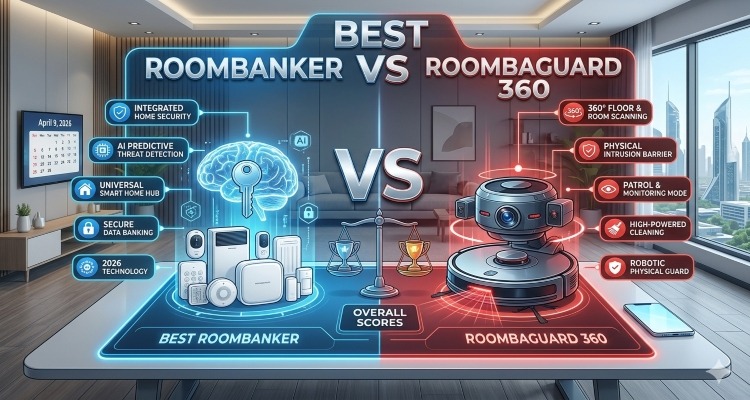
RoombaGuard 360 has been a long-standing competitor in the home security market. While it offers similar functionalities, such as AI-driven detection and integration with smart home systems, the Best Roombanker excels in customisation and real-time adaptability.
- Key Difference: The Best Roombanker features more advanced AI algorithms that allow it to learn and predict patterns in your home environment more efficiently than the RoombaGuard 360. This leads to fewer false alarms and a more personalised experience.
- Verdict: While RoombaGuard 360 is effective, the Best Roombanker’s superior AI capabilities make it a better choice for users who want a smarter, more intuitive security solution.
2. Best Roombanker vs SafeZone Pro
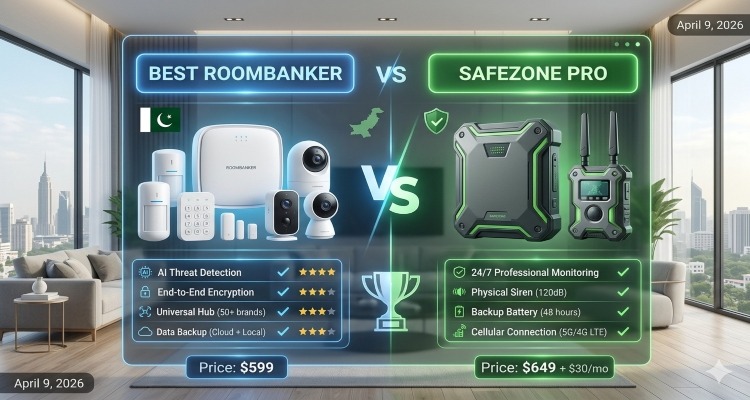
SafeZone Pro is another competitor that provides smart home security, but its reliance on basic motion detectors and manual controls limits its overall effectiveness in comparison to the Best Roombanker.
- Key Difference: The Best Roombanker offers full integration with a wide range of IoT devices, allowing for automated responses to security threats.
- It also includes cloud storage for video surveillance, ensuring that no data is lost in case of system failure. SafeZone Pro lacks these features and only offers basic functionalities.
- Verdict: If you are looking for a comprehensive, automated security system, the Best Roombanker outshines SafeZone Pro with its advanced integration and cloud-based features.
3. Best Roombanker vs ProtectoHome 2026
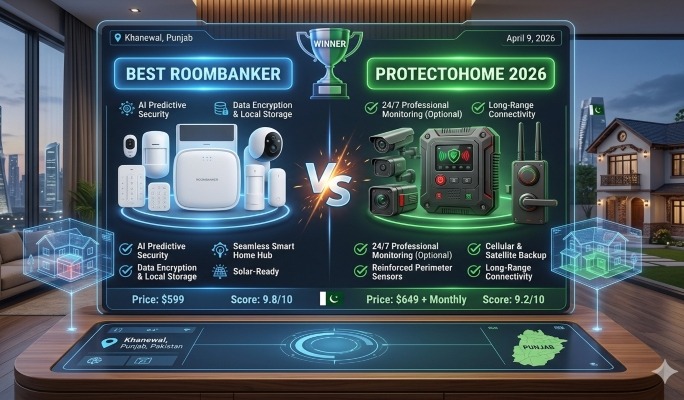
ProtectoHome 2026 is a popular smart security system that offers a range of sensors and surveillance features. However, it falls short when it comes to remote control and AI-driven automation.
- Key Difference: ProtectoHome 2026 doesn’t offer the same level of AI adaptability as the Best Roombanker. While it does provide smart home integration, it lacks the predictive capabilities that the Best Roombanker has in identifying security threats before they even happen.
- Verdict: For homeowners who want a more proactive security system that evolves with their home and offers remote management, the Best Roombanker offers significant advantages over ProtectoHome 2026.
4. Best Roombanker vs SecuroTech
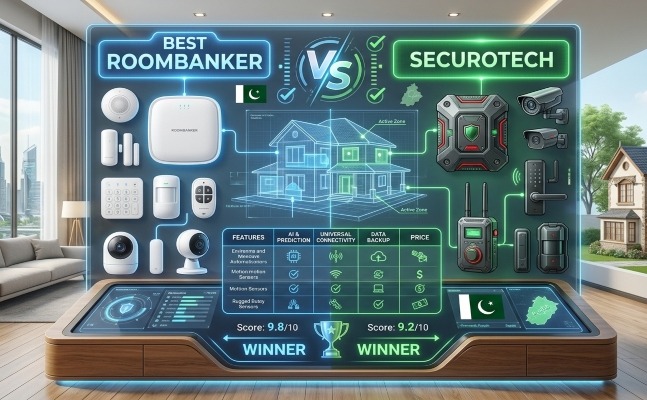
SecuroTech is known for its comprehensive security cameras and alarm systems, which offer basic home protection. While effective for some, SecuroTech’s systems rely heavily on manual intervention and constant monitoring.
- Key Difference: The Best Roombanker stands out with its AI-driven automation and ability to seamlessly integrate with other smart devices, creating a more automated, hands-off experience for the user. Unlike SecuroTech, which requires continuous manual oversight, the Best Roombanker offers a set-it-and-forget-it approach that ensures 24/7 protection with minimal user effort.
- Verdict: If you’re looking for a system that automates security responses and reduces manual input, the Best Roombanker is a more efficient choice than SecuroTech.
Why the Best Roombanker Wins
The Best Roombanker clearly outshines its competitors in several key areas:
- Advanced AI capabilities that provide smarter, predictive security.
- Full IoT integration, allowing for automated responses to various threats.
- Remote monitoring and mobile app integration, providing complete control from anywhere.
- Cloud storage for video surveillance ensures that all footage is securely stored.
When compared to its competitors, the Best Roombanker offers superior automation, customisation, and predictive features, making it the go-to choice for homeowners seeking the most innovative and reliable home protection in 2026.
How to Choose the Best Roombanker for Your Home?
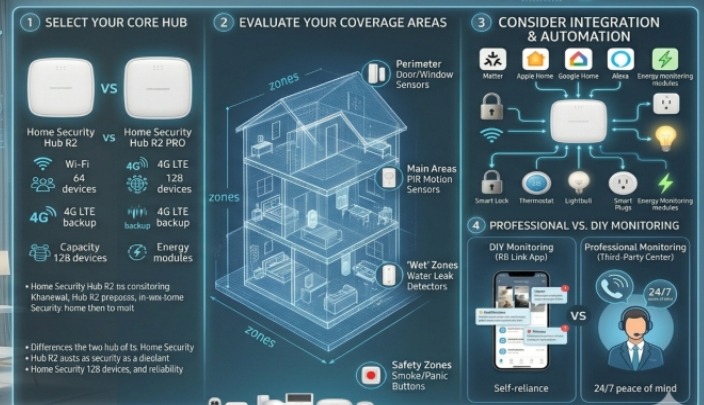
Choosing the right Roombanker for your home is crucial to ensuring optimal security, efficiency, and peace of mind. With so many options available in 2026, it’s important to consider a few key factors before making your decision.
Here’s a step-by-step guide on how to select the Best Roombanker that suits your unique needs and lifestyle.
- Assess Your Home’s Security Needs
Before selecting a Roombanker, consider the size and layout of your home. Larger homes with multiple entry points might require multiple sensors and extra cameras, while smaller homes may only need basic protection.
Identify areas of vulnerability, such as windows, doors, and even hidden entry points like basements or attics. The Best Roombanker should cover all these areas with sufficient sensors and surveillance options to ensure comprehensive protection.
- Look for AI-Driven Features
One of the most important features to consider when choosing a Roombanker is artificial intelligence. The Best Roombanker utilises AI-powered threat detection to learn and adapt to your home’s environment, ensuring fewer false alarms and more accurate responses.
Look for a system that uses AI to analyse motion, sound, and environmental data to provide proactive rather than reactive protection. This can be especially helpful in avoiding unnecessary notifications while still ensuring high-level security.
- Check Compatibility with Your Smart Home System
If you already have a smart home setup, such as smart lights, thermostats, or voice assistants like Alexa or Google Assistant, you’ll want a Roombanker that integrates seamlessly with your existing devices.
IoT compatibility is a key feature of the Best Roombanker, as it can automate security tasks like locking doors, adjusting lights, and setting the thermostat to an energy-saving mode when you’re away.
Choose a Roombanker that offers easy integration with your preferred smart home ecosystem to ensure smooth functionality.
- Ensure Mobile Access and Control
A significant benefit of modern security systems is the ability to monitor and control your home remotely. Choose a Roombanker with a user-friendly mobile app that allows you to receive real-time alerts, view video footage, and manage your system from anywhere. Whether you’re on vacation or simply away at work, the ability to monitor your home security from your smartphone adds convenience and peace of mind.
- Evaluate Storage and Data Security
Look for a Roombanker that offers cloud storage for video surveillance. This ensures that in the event of a security breach or system malfunction, your footage is safely stored and accessible.
Encrypted data transmission is another essential consideration to protect your personal information and ensure the privacy of your home’s data. Always choose a model with robust cybersecurity features to safeguard your home from digital threats.
- Budget and Value for Money
Finally, consider your budget and how much you’re willing to invest in a home security system. The Best Roombanker is an investment in your home’s safety, so it’s worth considering the long-term benefits.
While some models may come with a higher upfront cost, they often provide more advanced features and better protection. Look for a Roombanker that offers the best value for your budget, keeping in mind the essential features that align with your security needs.
FAQs
What is a Roombanker, and how does it work?
A Roombanker is an advanced home security system that integrates artificial intelligence (AI), IoT devices, and real-time monitoring to provide comprehensive protection for your home.
It learns your home’s patterns, detects potential threats, and can take automatic actions, such as locking doors, alerting emergency services, or turning off appliances when danger is detected.
Is the Best Roombanker easy to install?
Yes, the Best Roombanker is designed to be user-friendly, with easy installation that typically requires no professional help. Most systems come with clear instructions and a mobile app that guides you through the setup process.
The system can be integrated with your existing smart home devices, making the installation process even more seamless.
Can the Best Roombanker integrate with other smart home devices?
Absolutely! The Best Roombanker is designed to work with other smart home devices, including thermostats, cameras, lights, and voice assistants like Amazon Alexa and Google Assistant.
This integration allows for automated actions, such as adjusting the thermostat or turning on lights when you leave or return home.
Does the Best Roombanker offer mobile app control?
Yes, the Best Roombanker comes with a mobile app that allows you to monitor your home’s security, receive real-time alerts, view camera footage, and control the system remotely. This feature is particularly useful for homeowners who want to keep an eye on their property while they’re away or travelling.
How does the Best Roombanker prevent false alarms?
The Best Roombanker uses advanced AI-powered threat detection to learn your home’s unique activity patterns. By analysing motion, sound, and environmental data, it can distinguish between normal activities and actual threats, significantly reducing false alarms. The system becomes smarter over time, ensuring only real security threats trigger alerts.
Is the data from the Best Roombanker secure?
Yes, data security is a top priority for the Best Roombanker. The system uses encrypted data transmission and offers cloud storage for video footage, ensuring that your data is protected from potential cyber threats. The footage is securely stored and can only be accessed by authorised users, giving you peace of mind that your privacy is protected.
Conclusion
In 2026, home security has advanced far beyond traditional alarm systems, and the Best Roombanker stands at the forefront of this revolution. By integrating cutting-edge AI technology, seamless smart home connectivity, and real-time monitoring.
With features like AI-driven threat detection, environmental hazard sensors, and remote mobile control, the Best Roombanker provides homeowners with a smart, automated security solution that adapts to their unique needs.
Whether you’re looking to protect your home from intruders, environmental dangers, or simply want a more intelligent, automated security system, the Best Roombanker delivers. It offers peace of mind with real-time alerts, seamless integration with other smart devices, and remote monitoring, all from the palm of your hand.
Investing in the Best Roombanker isn’t just about securing your home; it’s about future-proofing your protection with a system that evolves with technology and keeps you connected no matter where you are.

 Home Technology Solutions6 months ago
Best Smart AI Refrigerator 2026: Amazing Features, Pros & Cons (Buy Guide)
- Home Appliance Automation6 months ago
Best Smart Home Cameras 2026: Top WiFi & Security Solutions
- Home Technology Solutions6 months ago
Best AI Washing Machine Technology 2026:Smart Wash, Energy Saving & App Control
- Home Appliance Automation6 months ago
Best Smart Home Hubs in 2026: Features, Benefits & Buying Guide
- Home Appliance Automation6 months ago
Best Smart Home Installation (2026): Complete Buyer Guide
- Home Appliance Automation7 months ago
Smart Home Automation Ideas 2026: Best Systems for Modern Living
- Home Technology Solutions7 months ago
Home Assistant AI Guide 2026: Ultimate Smart Home Automation & AI Voice Control
- Home Security Systems6 months ago
Best Smart Fire Alarms 2026: Top WiFi Smoke Detectors Reviewed